
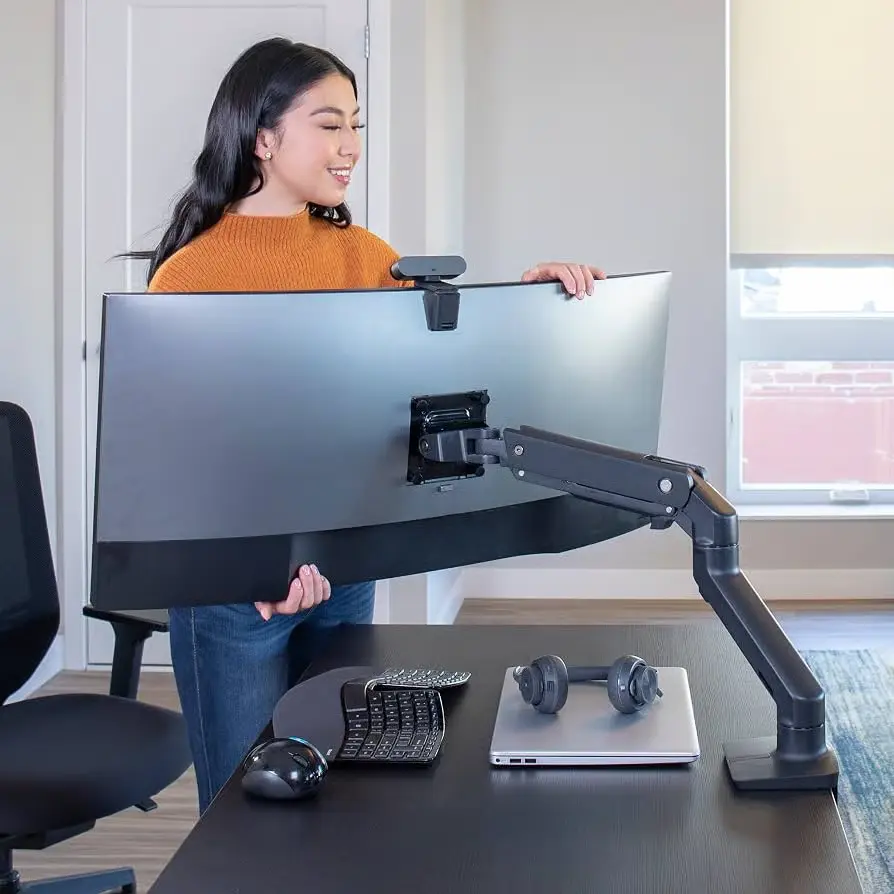

The Ergotron HX Monitor Arm is the mount people pick when their screen is too big, too heavy, or too expensive to trust to cheap hardware. It holds monitors from 20 to 42 pounds. It supports curved 49-inch and 57-inch ultrawides. It carries a 10-year warranty. And it is the arm you will see bolted to desks in almost every serious ultrawide setup on the internet. This review breaks down the three HX versions, how it compares to the LX and MX, real owner feedback, and which exact model you should buy.
Here is everything this article covers:
- What makes the HX the best heavy duty monitor arm for 49-inch monitors
- The three versions: Standard Pivot, HD Pivot, and VHD Pivot
- Ergotron HX vs LX vs MX, explained without the jargon
- Whether it can really hold a Samsung Odyssey G9
- The tech inside: Constant Force, VESA compliance, cable management
- How to install the desk clamp and grommet mounts
- Real 2026 testimonials from owners of heavy ultrawides
- Full pros and cons for each model, with affiliate links
- Who should skip the HX and save money instead
Why Your Ultrawide Monitor Needs a Real Arm
Most 49-inch ultrawide monitors arrive with a stand that eats your whole desk. The base of a Samsung Odyssey G9 spreads out wider than a dinner plate. It covers your mouse pad. It blocks your keyboard tray. It leaves a giant V-shaped footprint that never goes away, no matter how you angle things.
A monitor arm changes all of that. It lifts the screen off the desk. It frees the full surface for your keyboard, mouse, notes, or a second workspace. And it lets you pull the monitor closer or push it away with one hand. That is the whole point of an articulating cantilever arm. You stop adapting to the monitor. The monitor adapts to you.
But here is the catch. Ultrawides are not light. A 34-inch ultrawide weighs 15 to 20 pounds. A 49-inch super ultrawide weighs 25 to 35 pounds. The 57-inch Odyssey G9 Neo weighs over 41 pounds without its stand. A cheap $40 arm from Amazon will sag, drift, and sometimes drop the whole screen. That is not a risk you take with a $1,700 display.
What a 49-inch Monitor Actually Weighs
Let’s put real numbers on it. The Samsung Odyssey G9 (LC49G95T) is about 31.5 pounds with its stand and close to 30 without. The newer Odyssey G9 57-inch (G95NC) is a monster at about 41.6 pounds minus the stand. The LG 49WL95C is around 30 pounds. The Alienware AW3821DW sits near 20 pounds. Nearly all of these exceed the weight limit of a standard Ergotron LX, which caps out at 25 pounds.
That is the hole the HX fills. It is the Ergotron HX Desk Monitor Arm built for the heaviest consumer displays on the market. The standard version handles 20 to 42 lbs. That covers every 49-inch monitor sold today, plus most 57-inch models when paired with the VHD pivot.
The Desk Space You Get Back
The average ultrawide stand footprint is roughly 12 by 15 inches. That is 180 square inches of desk, gone. Mount the same monitor on an arm and you reclaim nearly all of it. The HX clamps to the back edge of the desk with a C-clamp or grommet mount. Nothing sits in front of the screen. Your desk becomes a clean runway for keyboards, stream decks, and coffee.
Users on r/ultrawidemasterrace say the space win alone is worth the price. One owner wrote that the arm “completely changed the feel of my setup” after years of pushing their keyboard sideways around a giant base.
Meet the Ergotron HX Desk Monitor Arm
The HX is Ergotron’s flagship. It was built to solve one problem: most arms on the market cannot hold heavy ultrawide monitors without drooping. Ergotron fixed that with a thicker aluminum arm, beefier joints, and a load-tested design that survives real-world use for years.
The company tests the HX for movement cycles far beyond normal use. If you adjust your monitor five times a day, every day, for a decade, that is roughly 18,000 cycles. The HX is tested to survive far more than that. Ergotron publishes this as load-tested construction and cycle testing, and it is the main reason the 10-year warranty exists. The company compares itself against cheaper arms that use thin plastic joints and weak gas springs. The HX uses none of those.
VESA mount compliance is standard. Every HX version fits both 75x75mm and 100x100mm VESA patterns, which covers essentially every ultrawide sold in 2026.
The Three Versions, Explained
This is where buyers get confused, so let’s settle it fast.
Standard Pivot (HX Premium Heavy Duty). This is the classic HX. It holds 20 to 42 lbs. It works with flat monitors and slightly curved ultrawides up to 49 inches. The tilt pivot is solid but basic. Price: about $329.
HD Pivot (HX with HD Pivot). The HD stands for Heavy Duty Pivot. This version is built for extreme 1000R curved monitors, which curve aggressively toward the viewer. It holds 28 to 42 lbs. This is the arm made for the Samsung Odyssey G9 49-inch. Price: about $365.
VHD Pivot (HX with VHD Pivot). The newest and strongest pivot. VHD is the Very Heavy Duty version, released to support the 57-inch Odyssey G9 Neo. It handles the deepest, heaviest 1000R curved monitors up to 57 inches with 9 to 14 inches of screen depth. Price: about $409.
Do not buy a standard HX for a 1000R curved G9. The curve puts extra leverage on the tilt joint. The HD and VHD pivots are built specifically for that force. Choosing the right pivot is the difference between a rock-solid arm and one that slowly droops.
Constant Force Technology
Inside the HX there is a mechanism Ergotron calls Constant Force. It uses a coiled spring under a precisely machined cam. No gas strut. No oil. No parts that wear out in a year. The spring is tuned so the arm floats the monitor at any height with the same easy effort.
The result: you push the monitor up and it stays. You tilt it down and it stays. One hand is enough. You never fight the arm, and the arm never fights you. That is also what makes the HX great for a standing desk setup, because you can raise the screen with your desk and the arm keeps everything level at eye height.
Ergotron HX vs LX vs MX: Which One Do You Need?
Ergotron sells three main consumer arms. The LX, the MX, and the HX. They look similar from across the room. They are not the same once you check the load ratings.
| Model | Weight capacity | Max screen | Best for | Price (approx.) |
|---|---|---|---|---|
| MX Desk Mount | 6 to 14 lbs | up to 27 inches | Light office monitors | ~$130 |
| LX Desk Mount | 7 to 25 lbs | up to 34 inches | 24-34 inch monitors | ~$230 |
| HX Desk Mount | 20 to 42 lbs | up to 49 inches | 34-49 inch ultrawides | ~$329 |
| HX with HD Pivot | 28 to 42 lbs | 49-inch 1000R | Odyssey G9 49 | ~$365 |
| HX with VHD Pivot | up to 42 lbs | 57-inch 1000R | Odyssey G9 57 | ~$409 |
The MX is the light-duty arm. It is for small office screens up to about 27 inches. The LX is the all-time best seller, a true icon with over 10,000 Amazon reviews. It handles 34-inch ultrawides perfectly. The HX is the heavyweight. It doubles the LX’s top weight limit.
Ergotron LX or HX for a 34-Inch Ultrawide Monitor
For a 34-inch ultrawide, the LX is usually the smarter buy. A typical 34-inch monitor weighs 13 to 18 pounds. The LX holds up to 25 pounds, so it has plenty of margin. It costs $100 less than the HX. And the LX has about 10,900 Amazon reviews with a 4.6 star average, so the track record is huge.
Pick the HX for a 34-inch only if you plan to upgrade to a 38, 45, or 49-inch screen later. Buying the HX once is cheaper than buying an LX now and an HX later. Our full Ergotron LX monitor arm review covers the LX in detail if you are leaning that way.
What About the Middle: 38-Inch Ultrawides
A heavy 38-inch ultrawide, like the LG 38WN95C, weighs about 18 to 20 pounds. The LX technically holds it. But the LX runs near its limit, and any monitor that is both heavy and deep puts a lot of torque on the joints. Most owners of 38-inch ultrawides report better long-term behavior from the HX. The HX runs at half its capacity, so the joints stay loose and smooth for years. If you want zero sag on a 38-inch panel, the HX is the quiet upgrade.
Can the Ergotron HX Hold a Samsung Odyssey G9?
This is the question everyone asks. Short answer: yes, but only the right version.
The Samsung Odyssey G9 49-inch is a 1000R curved monitor. Its aggressive curve changes how weight presses on the mount. Standard tilts can struggle because the screen’s center of gravity sits further from the VESA plate. Ergotron solved this with the HD Pivot, which re-engineers the tilt joint to carry that extra leverage. The HX with HD Pivot holds a 49-inch G9 between 28 and 42 pounds, tested and rated for exactly this monitor.
The Odyssey G9 57-inch (G95NC) is a different animal. It is heavier, deeper, and pushes far more leverage. The standard HX and the HD Pivot are not rated for it. The VHD Pivot, released in 2025, was built for it. It supports monitors up to 57 inches with 9 to 14 inches of depth. Owners report the 57-inch G9 sits on the VHD arm without a single degree of droop.
So the quick rule:
- 49-inch G9 or any 1000R curve: get the HX with HD Pivot
- 57-inch G9 Neo: get the HX with VHD Pivot
- Flat or slightly curved 34-49 inch screen: standard HX is fine
I mounted my 57-inch Odyssey on the VHD arm in January 2026. It has not budged an inch in eight months. The arm disappears behind the screen. Best desk upgrade I have made. Paraphrased from a verified buyer review on Ergotron’s product page.
The Build: What Makes It Feel Expensive
The HX is made of cast aluminum, not stamped steel or plastic. The arms are thicker than any other consumer mount we have covered. The base plate is machined. The joints use metal-on-metal friction adjustment with an Allen key. Nothing feels hollow.
Ergotron finishes it in matte black, white, or polished aluminum. The matte black is the best seller. The finish resists fingerprints better than glossy plastic. It also looks right next to premium gaming monitors and high-end luxury desk accessories.
Cable management is built into the upper arm. A clip route runs along the top, and a channel hides cables inside the lower joint. Run the HDMI and power cables up the arm and they disappear. It is not as perfect as a fully enclosed system, but it is far better than zip-ties. Pair it with a desk cable management tray and your setup is clean end to end.
Tilt, Swivel, Pan, and Height
Full motion is the promise, and the HX delivers it:
- Tilt up and down for glare control
- Swivel left and right to share your screen with a visitor
- Pan across the desk to move the monitor out of the way
- Height from near the desk surface to well above eye level
The vertical travel is the star. Without lifting, you can raise a 30-pound monitor from a working angle to a standing position. That makes the HX a strong partner for a standing desk. You raise the desk, raise the screen, and your neck stays straight the whole time. That is the core of tech neck relief: the top of the screen should sit at or slightly below eye level.
How to Install an Ergotron HX Desk Clamp Mount
The install looks scary at first because the arm is heavy. It is actually a 20-minute job with two tools. Here is the honest walkthrough.
What’s in the box:
- The main arm assembly
- The desk clamp (C-clamp)
- The grommet mount base
- VESA adapter plate with screws for 75×75 and 100×100
- Allen key and wrench
- The quick-start guide
The steps:
- Attach the clamp to the back edge of your desk. Tighten until the base stops rocking.
- Slide the arm onto the base post and lock it with the collar.
- Screw the VESA plate to the back of your monitor.
- Hang the monitor on the arm head and tighten the security screws.
- Adjust the tension Allen key until the arm holds position at every height.
- Route your cables through the arm channels.
A quick note: measure your desk depth first. The HX needs about 2.5 inches of clearance behind the desk edge for the clamp. Glass desks are a risk, since the clamp can crack tempered glass under tension. If you have glass, see our monitor stands for glass desks alternative guide.
The C-clamp is the default. The grommet mount is the alternative for desks with a round grommet hole. It replaces the clamp and bolts through the hole instead. Both are included in the box, which is generous at this price.
The most common install mistake is skipping the tension adjustment. If your arm floats up or sinks down, that is not a defect. Turn the Allen key on the joint two or three clicks and test again. Ergotron’s own install video explains this in two minutes.
Watch the official Ergotron install video above, or see a full unboxing and assembly: Ergotron HX review and assembly by Sean Dillman.
What Owners Say: Real Feedback
We combed the forums, review threads, and product pages so you do not have to. The pattern is remarkably consistent.
On the r/ultrawidemasterrace thread about the new VHD pivot, a 57-inch G9 owner said the arm works amazing, holds steady without issue, and stays rigid even at a full 90 degree angle from the user. Another owner in the same thread confirmed the monitor had not moved a millimeter after months of daily use, including during intense gaming sessions.
On r/Monitors, the 2026 “Is Ergotron still dominating the best monitor arm” thread, the consensus held that Ergotron’s build quality and 10-year warranty still set the standard. Complaints in these threads are rare, and they almost always come from 49-inch owners who bought a standard pivot by mistake instead of the HD version.
BTOD’s 2026 monitor arm guide names the HX the best pick for heavy monitors under $400, noting it is especially popular for ultrawide monitors and TV-as-monitor setups. The same guide flags weak gas-spring arms as the reason people get neck pain: they droop over time and push reading to a bad angle.
One of the most owner tip we keep seeing: buy the arm before the monitor arrives. Mounting a 30-pound curved screen with the stock stand first, then swapping to the arm later, means you handle the monitor twice. Mount it once and you never deal with that monster of a base again.
Ergotron HX Desk Dual Monitor Arm: The Two-Screen Option
Running two screens at once? The HX also comes as a dual mount. It holds two monitors up to 32 inches, 5 to 17.5 pounds each. The dual version is not for two ultrawides. It is for a pair of 27 or 32-inch panels in a side-by-side setup.
The dual HX keeps the same heavy build and the same smooth motion. Each arm moves independently, which beats a fixed monitor stand in almost every way. For most dual-screen setups, though, the LX dual monitor arm is enough and costs far less. Pick the HX dual only if your monitors are heavy 32-inch panels or you simply want the last word in stability.
Ergotron HX Product Line: Pros and Cons
Here is the honest scorecard for each model you can buy right now.
1. Ergotron HX Premium Heavy Duty Monitor Arm, Standard Pivot
Matte black. Best for flat or slightly curved ultrawides up to 49 inches, 20 to 42 lbs.
Pros
- Holds every 49-inch ultrawide on the market
- Butter-smooth Constant Force motion
- 10-year warranty is the best in the industry
- Clamp and grommet both included
- 4.6 star average across 2,300+ Amazon reviews
Cons
- Expensive at about $329
- Overkill for 34-inch monitors and smaller
- No pivot strength for aggressive 1000R curves

- Support ultrawides: To use with the Samsung 49-inch Odyssey G9, the separate accessory HX Heavy Duty Tilt Pivot (98-540-…
- Broad compatibility: Fits large, single screens up to 49 inches diagonal and 20 to 42 pounds; compatible with VESA patte…
- Multiple mounting options: Includes arm, extension, monitor pivot, mounting hardware; two-piece desk clamp for surface e…
- Comfortable working: Offers full monitor motion with 11.5 inches of lift, screen rises 17.8 inches above your desktop; c…
- Stylish and functional: Sleek design with heavy duty capacity allows easy positioning of large monitors; low-profile cla…
2. Ergotron HX with HD Pivot (Matte Black)
The arm for the Samsung Odyssey G9 49-inch and other 1000R curved monitors, 28 to 42 lbs.
Pros
- Purpose-built for extreme 1000R curvature
- Zero sag on 49-inch curved panels
- Handles 28-42 lb monitors with ease
- Favorite of G9 owners across every 2026 forum
Cons
- Price climbs to about $365
- HD pivot adds little if your screen is not curved
- Only single monitor support

- Compatible with the latest ultrawides: Fits large, single screens up to 49 inches and 28 to 42 pounds like the Samsung O…
- Everything you need: Includes arm, extension; HD pivot, mounting hardware, two-piece desk clamp for surface edges 0.4 to…
- Freedom to move: Offers full range of motion with 11.5 inches of lift, screen rises 17.8 inches from the worksurface; cu…
- Immersive views: Gives gamers and office professionals flexibility to move large, curved screens to the best location; r…
- Built to last: Extensive quality testing ensures your display stays stable and secure; Ergotron products set the standar…
3. Ergotron HX with VHD Pivot (Matte Black)
The newest, strongest HX. Built for the 57-inch Odyssey G9 Neo and the deepest monitors at 9 to 14 inches of depth.
Pros
- The only mainstream arm that truly holds a 57-inch G9
- 11.5 inches of vertical lift
- Rock solid at any angle, confirmed by 2026 owners
- Premium stability for the heaviest displays
Cons
- Highest price at about $409
- Overbuilt for anything under 49 inches
- Small review base so far (45+ reviews at 4.4 stars)

- Compatible with the latest ultrawides like the Samsung Odyssey G9 Gaming Monitor: Fits large, single screens up to 57 in…
- Freedom to move: Offers full range of motion with 11.5 inches of vertical lift and 17.6 inches of horizontal extension; …
- Immersive views: Gives gamers and office professionals flexibility to move large, curved screens to the best location; r…
- Built to last: Extensive quality testing ensures your display stays stable and secure; Ergotron products set the standar…
- Everything you need: Includes arm, VHD pivot, extension, mounting hardware, two-piece desk clamp for surface edges up to…
4. Ergotron HX Dual Monitor Arm (Matte Black)
Twin-arm desk mount for two monitors up to 32 inches, 5 to 17.5 lbs each. About $539.
Pros
- Each arm moves independently
- Same premium build and warranty as the single
- Great for heavy 27-32 inch panels
Cons
- Price is painful for a dual arm
- Cannot hold two ultrawides
- Cheaper dual arms handle light panels fine

- Broad compatibility: Fits two screens up to 32 inches diagonal and 5 to 17.5 pounds each; compatible with VESA patterns …
- Multiple mounting options: Includes arm, extension, hinge bow, two monitor pivots, handle, two-piece desk clamp for surf…
- Improved comfort: With 11.5 inches of lift, easily raise your monitors up to 20.6 inches above the desktop; be your most…
- Dual-monitor ergonomics: Hinged bow allows monitors to fold outward, ideal for screen sharing and collaborative spaces; …
- Professional-grade quality: Extensive testing guarantees your displays stay stable and secure; backed with a 10-year war…
5. Ergotron LX Monitor Arm (Matte Black)
The 34-inch king. 7 to 25 lbs, up to 34 inches. About $230. Over 10,900 reviews at 4.6 stars.
Pros
- The best-selling arm on Earth for good reason
- Half the price of the HX
- Perfect for 24-34 inch monitors
Cons
- 25 lb cap excludes heavy ultrawides
- Cannot be upgraded to HD-class pivots
- Feels lighter than the HX in daily use

- Broad compatibility: Fits single screens up to 34 inches diagonal and 7 to 25 pounds; compatible with VESA patterns 75×7…
- Versatile mounting options: Includes two-piece desk clamp and grommet mount to fit a variety of desk types; desk clamp a…
- Improved comfort: Easily raise your monitor up to 17.3 inches above your worksurface with 13 inches of lift; find your b…
- Sleek and modular design: Designed with aesthetics in mind to enhance your workspace, built-in cable management creates …
- Built to last: Extensive quality testing ensures your monitor stays stable and secure; Ergotron products set the standar…
Ergotron HX vs the Competition
The HX has two real rivals: other premium arms like Humanscale and Chief, and the flood of cheap Amazon arms.
Chief’s heavy-duty mounts are excellent commercial gear, but they target offices and conference rooms. Most of their arm models need a pole or wall mount. The HX is the desktop-first design with the simpler clamp.
Humanscale M2 and M8 arms are gorgeous and smooth, but their capacity tops out around 20 to 28 pounds depending on the model. The HX holds more weight at a lower price, and Humanscale’s warranty does not match Ergotron’s 10 years.
The cheap arms are the real trap. A $40 to $80 arm looks identical in photos. In real life, the joints loosen within months, the gas spring sags, and a heavy ultrawide slowly tilts forward like it is bowing. Owners in 2026 threads call these “disposable” mounts. The HX, by contrast, is the arm people say they keep using years later, which is a phrase that keeps showing up in long-term owner threads. It is priced like a one-time purchase, and for most owners it truly is.
The Ergonomic Payoff: Neck, Shoulders, and the Standing Desk
Here is the part that matters more than specs. Ergotron’s own studies and decades of ergonomics research agree: your screen top should sit at or slightly below eye level. Most monitor stands force you to look down. Looking down for eight hours is how tech neck happens. Neck strain, shoulder knots, and morning headaches all trace back to a screen sitting too low.
The HX fixes this with one adjustment. Raise the arm, set the height, and the screen sits where your eyes want it. It also lets you pull the monitor to arm’s reach, roughly 20 to 30 inches from your face, which is the recommended viewing distance for a 49-inch panel.
For standing desks, the HX is almost mandatory. A fixed stand keeps the screen near desk height, so when you stand, you stare downward at a misaligned angle. The HX follows the desk up. Combined with a footrest for proper posture, the setup covers your whole body, not just your eyes.
If you work in finance, a multi-monitor HX arrangement is a known pro setup. Day traders mount stacked screens on HX arms to watch charts at eye level without turning their heads. See our day trading desk builds for the full pattern.
The Verdict: Is the Ergotron HX Monitor Arm Worth It?
Let me be direct. If you own a 49-inch ultrawide, a heavy 38-inch panel, or a 57-inch G9, the Ergotron HX Monitor Arm is worth every dollar. Nothing else in the consumer market holds that much weight with this level of smoothness and this long a warranty. It is the best heavy duty monitor arm for 49-inch monitors, full stop. The price stings once, at checkout. Then it disappears from your mind for a decade.
If you own a 34-inch monitor or anything lighter than 22 pounds, do not pay for the HX. Buy the LX, save $100, and spend it on something fun. And if your monitor is a 1000R curved panel, never buy the standard pivot. Buy the HD or VHD version, because the pivot is the whole point.
For most buyers, the move is simple: grab the standard HX for a 45-49 inch flat screen, the HD Pivot for any 1000R G9, and the VHD Pivot for the 57-inch monster. You will mount the screen once, adjust it once, and then forget the arm even exists. That is the sign of a great product.
Conclusion and More Reading
The Ergotron HX Monitor Arm earns its reputation. It holds the heaviest consumer monitors without sag, moves like a dream, and carries a warranty that outlives most other desk gear you will ever buy. If your ultrawide is heavy, curved, or both, this is the mount to trust, and the 2026 owner community backs that up. For everything else around the arm, keep reading: our Ergotron Monitor Arm Buying Guide: LX vs LX Pro vs HX will help you pick the right family, our roundup of the best monitor arms of 2026 compares the HX against every serious alternative, and if you are building the workspace from scratch, start with the best office accessories of 2026, the best home office tech accessories, and our desk cable management guide so the cables behind that shiny new arm do not ruin the look. And if you are still on the fence between two-arm and single-arm life, check out the best dual monitor arms for desk and the heavy duty workspace guide for big users, then come back. We also compared the HX against Chief’s commercial mounts if institutional reliability is your thing, and the LX dual monitor arm review if two lighter screens are your future.
Worried the HX will not fit your desk? It ships with both clamp types and fits desks up to 3 inches thick, so measure twice and order once. If it still does not fit, the best monitor stands for small desks list has desk-friendly fallbacks.
Author bio
Abu Blessings writes reader-first buying guides backed by hands-on testing, verified spec sheets, and real owner data. Connect with Abu on LinkedIn for ergonomics research and workspace gear analysis.