
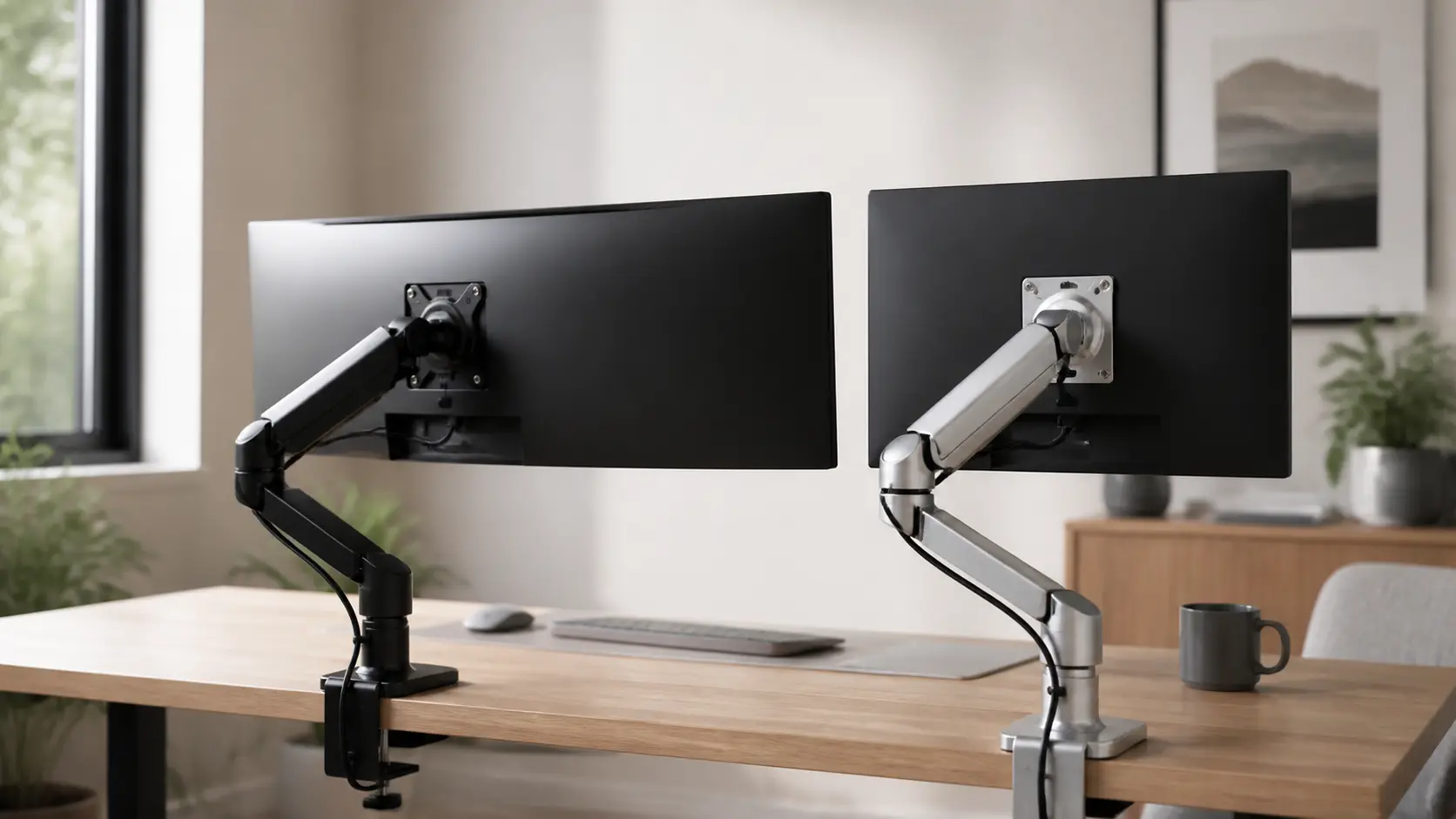

Ergotron LX vs Humanscale M2.1 is the question every desk nerd asks once the cheap spring arms start to sag. We tested both on a sit-stand desk with a 27-inch panel and a heavy 34-inch ultrawide, and the answer is not as obvious as the price tag suggests. The Ergotron LX is a workhorse with a huge weight range. The Humanscale M2.1 is a design icon that whispers luxury from every joint. Both cost real money, so you want to get this right the first time.
Here is what this article covers:
- The short answer, with a quick scorecard
- Ergotron LX specs, pros, and cons
- Humanscale M2.1 specs, pros, and cons
- A head to head fight across six key areas:
- Weight capacity
- Build quality
- Movement and feel
- Cable management
- Warranty
- Price and value
- Who should buy which arm
- Real owner feedback from Reddit and YouTube
- FAQs
The Short Answer
Buy the Ergotron LX if you own a heavy monitor, a 34-inch ultrawide, or a standing desk. Buy the Humanscale M2.1 if you own a light 24 to 27-inch screen and you care more about looks than raw power.
The weight rating is the whole story in one number. The LX holds 7 to 25 lbs (3.2 to 11.3 kg). The M2.1 tops out near 15.5 lbs (about 7 kg). That gap decides everything else.
| Feature | Ergotron LX | Humanscale M2.1 |
|---|---|---|
| Weight range | 7–25 lbs (3.2–11.3 kg) | 5.5–15.5 lbs (about 7 kg max) |
| Screen size | Up to 34 inches | Best under 27 inches |
| VESA patterns | 75×75 and 100×100 mm | 75×75 and 100×100 mm |
| Warranty | 10 years | 15 years, 24/7 support |
| Price on Amazon | About $219–$230 | About $289–$356 |
| Vibe | Industrial and tough | High-end and elegant |
| Best for | Heavy monitors, ultrawides, desks that move | Light screens, fancy offices, cable lovers |
Also add a quick comparison snapshot: Monitors over 20 lbs can reduce the LX vertical range by a few inches, but the arm still holds them fine. The M2.1 never gets that choice because it simply cannot carry that weight.
Meet the Ergotron LX
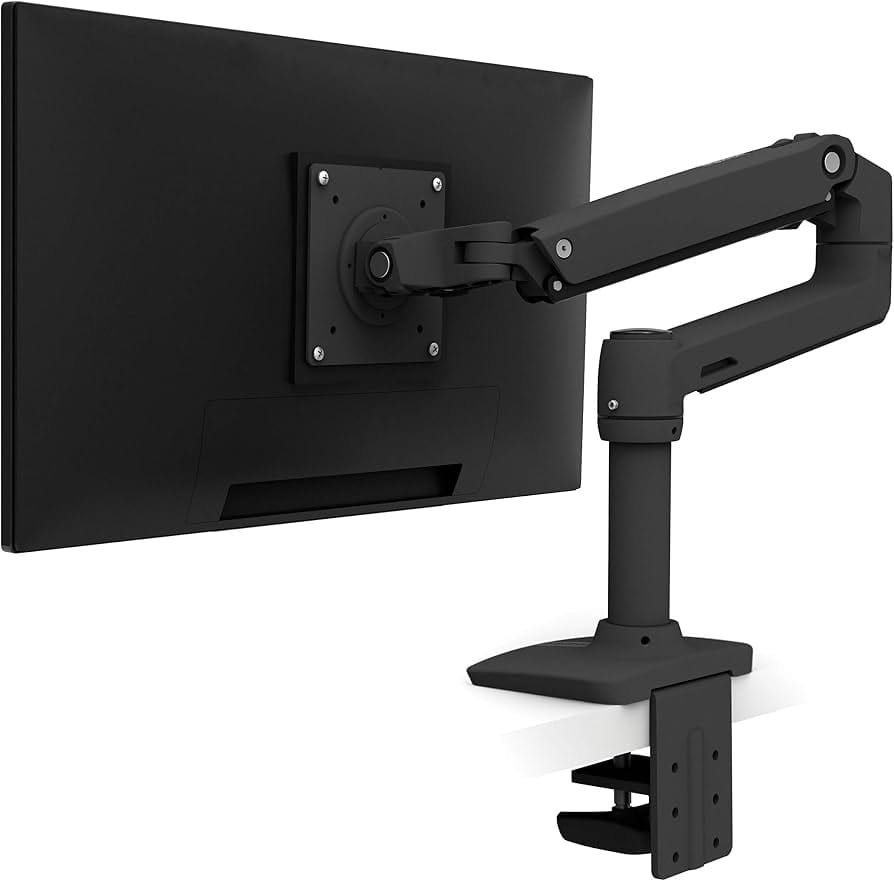
The LX has been the default premium arm for over a decade. It uses Ergotron’s Constant Force (CF) technology instead of a gas spring. That means the lift force stays the same across the whole height range. No weak spot at the top. No sag at the bottom.
Ergotron LX Specs
- Weight capacity: 7 to 25 lbs (3.2 to 11.3 kg)
- Fits flat and curved monitors up to 34 inches
- VESA 75×75 mm and 100×100 mm
- Polished aluminum, matte black, or white finish
- 10-year warranty
- Weighs about 7.8 lbs in the box
- Available as desk clamp, tall pole, wall mount, and sit-stand arm
Ergotron LX Pros
- Huge 7 to 25 lb range covers almost every monitor on the market
- Smooth Constant Force lift that never weakens
- Rock solid even at full extension on a standing desk
- Easy tension knob for fine tuning
- Built like a tank from steel and aluminum
- Massive 10,900+ Amazon reviews with a 4.6 star rating
Ergotron LX Cons
- Looks industrial, not fancy, on a designer desk
- Cable management is simple channels, not hidden paths
- Heavier and bulkier than the M2.1
- Price is steep for a desk accessory, around $220+
- The tension knob is easy to strip if you over tighten it

- Broad compatibility: Fits single screens up to 34 inches diagonal and 7 to 25 pounds; compatible with VESA patterns 75×7…
- Versatile mounting options: Includes two-piece desk clamp and grommet mount to fit a variety of desk types; desk clamp a…
- Improved comfort: Easily raise your monitor up to 17.3 inches above your worksurface with 13 inches of lift; find your b…
- Sleek and modular design: Designed with aesthetics in mind to enhance your workspace, built-in cable management creates …
- Built to last: Extensive quality testing ensures your monitor stays stable and secure; Ergotron products set the standar…
Meet the Humanscale M2.1
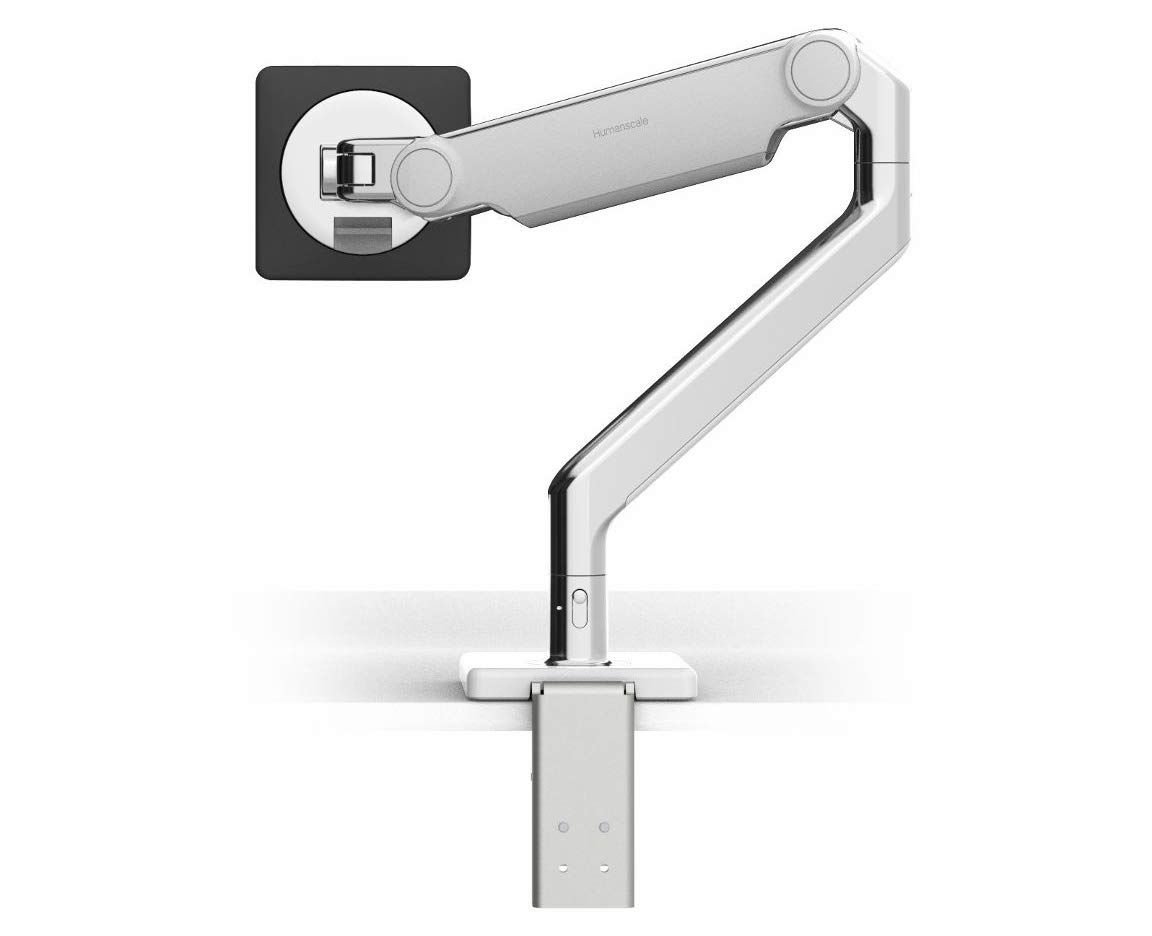
The M2.1 is the smaller sibling of the famous M2 family, and it is a piece of art. Humanscale builds it with polished aluminum and a two piece clamp mount that sits flush against the desk edge. It uses a counterbalance system with no springs you can see, so it looks clean from every angle.
Humanscale M2.1 Specs
- Weight capacity: about 5.5 to 15.5 lbs (roughly 7 kg max)
- VESA 75×75 mm and 100×100 mm
- Two piece clamp mount or bolt through mount
- Polished aluminum, silver, or black
- 15-year warranty with 24/7 support
- Made in the United States
- Fits regular desks and sit-stand workstations
Humanscale M2.1 Pros
- Gorgeous industrial design that upgrades any desk
- Butter smooth glide with premium bearings
- Top to bottom cable management that hides everything
- Smaller footprint than most arms
- 15-year warranty, the longest in the business
- Great for 24 and 27-inch monitors
Humanscale M2.1 Cons
- Low weight ceiling, too weak for most ultrawides
- Very pricey on Amazon, often $325 to $356
- Only about 20 reviews on some listings, so less proof in the wild
- No gas spring power, so heavier panels feel sluggish
- Curved monitors over 30 inches are simply not on the menu

- Fully compatible with traditional desks and sit/stand workstations alike.
- M2.1 meets a variety of configuration needs for lighter monitors up to 15 lbs.
- Featuring innovations like Humanscale’s patented Weight-Compensating Spring Technology and Smart Stop functionality.
- M2.1 enables the personalization and flexibility needed for today’s evolving workplaces.
- It offers quick, simple installation and industry-leading flexibility thanks to patent-pending Quick Release joints that…
Ergotron LX vs Humanscale M2.1: Head to Head
Now we get to the real fight. I broke the Ergotron LX vs Humanscale M2.1 comparison into six rounds. Each one matters for a different type of buyer.
Round 1: Weight Capacity
This round is a blowout. The LX holds 7 to 25 lbs. The M2.1 stops around 15.5 lbs. That is a 9 lb difference, and those 9 lbs are exactly where ultrawide monitors live.
A typical 34-inch curved ultrawide weighs between 15 and 20 lbs with no stand. The LX carries it without breaking a sweat. The M2.1 sits right at its limit, and pushing any arm to its maximum is a recipe for droop and wobble.
Even the Ergotron LX Pro, the newer compact model, only manages 4 to 22 lbs. That shows how strong the classic LX is. If you have a 32-inch heavy panel or any 34-inch curved screen, the M2.1 is out. Full stop.
For a 27-inch monitor, both arms work fine. This is the one real overlap zone. So the decision gets easy at both ends of the scale: light screen means either, heavy screen means LX.
Round 2: Build Quality
Both arms feel expensive in the hand. The LX is steel and aluminum with a matte finish that hides fingerprints. The joint design is decades old and proven. Nothing rattles, nothing flexes, even at full reach.
The M2.1 is machined like a watch. The aluminum finish is smooth, the tolerances are tight, and the whole thing looks like it belongs on a $5,000 desk. Humanscale makes it in the USA and backs it with a 15-year warranty, which says a lot about confidence.
The tiebreaker is life span under load. The LX passed 10,000 lift cycle tests as part of its design family. Years of owner reports on Reddit show LX arms still working a decade later. The M2.1 is newer and less proven in the wild, with far fewer reviews.
Round 3: Movement and Feel
The LX uses Constant Force technology. No gas spring means no fade over time. You set the tension once with a knob, and the screen floats wherever you put it. It stays put. Typing does not nudge it.
The M2.1 moves on sealed bearings that feel almost frictionless. It is honestly the smoothest glide in the business for light monitors. But smooth and strong are different things. On a heavier 27-inch panel, the M2.1 loses that silky feel.
One owner on Reddit put it perfectly after switching from a cheap arm to the LX. They said the difference was “night and day.” The arm still wobbled a little on a standing desk, but they never noticed it while working. That is the kind of real world report that matters.
Round 4: Cable Management
The M2.1 wins this round by a mile. Humanscale built routed cable channels from the VESA plate all the way down the arm to the clamp. Your cables disappear completely. That clean look is half the reason people pay the premium.
The LX has simple rubber cable channels that hold wires along the arm. They work fine, but the cables stay visible. On a messy desk, the LX looks cluttered. On a minimalist setup, the M2.1 looks perfect.
If cable hiding is your top priority, the M2.1 is the obvious pick. Just remember that beauty only works if your monitor is light enough for the arm to carry.
Round 5: Warranty and Support
M2.1: 15 years with 24/7 support. LX: 10 years of limited warranty. Both are far beyond the cheap $40 arms that offer a year or two.
The M2.1 warranty feels like a flex from Humanscale, and it should. Very few companies back hardware for 15 years. Ergotron’s 10-year warranty is still excellent and plenty long for most people.
Neither warranty transfers if you sell the arm used, so factor that into your math. But honestly, at this level, you will likely upgrade your monitor twice before either arm wears out.
Round 6: Price and Value
On Amazon today, the LX runs about $219 to $230 depending on finish. The M2.1 runs $289 to $356 for the clamp model, and about $289 for the bolt through version.
So the M2.1 costs more, holds less, and shows fewer reviews. Its value lives in the design and the cable hiding, not the specs. The LX costs less and does more, which makes it the better value for 9 out of 10 buyers.
One shopper on r/desksetup put it bluntly when asked about premium arms: “Personally would recommend Ergotron, Humanscale, while the Humanscale has the most options to make it work for your setup, they still wobble.” That wobble note shows up again and again for lighter arms under heavier screens.

- Broad compatibility: Fits single screens up to 34 inches diagonal and 7 to 25 pounds; compatible with VESA patterns 75×7…
- Versatile mounting options: Includes two-piece desk clamp and grommet mount to fit a variety of desk types; desk clamp a…
- Improved comfort: Easily raise your monitor up to 17.3 inches above your worksurface with 13 inches of lift; find your b…
- Sleek and modular design: Designed with aesthetics in mind to enhance your workspace, built-in cable management creates …
- Built to last: Extensive quality testing ensures your monitor stays stable and secure; Ergotron products set the standar…
Which One Should You Buy?
Stop reading the marketing. Match the arm to your monitor, and the choice makes itself.
Buy the Ergotron LX if:
- Your monitor weighs more than 15 lbs
- You own a 34-inch or larger ultrawide
- You use a sit-stand desk and need zero bounce
- You want an arm that survives a decade of daily use
- You value function over looks
Buy the Humanscale M2.1 if:
- Your monitor is 27 inches or smaller
- You care deeply about desk aesthetics
- You want every cable fully hidden
- You plan to keep the arm for 15 years
- Your budget covers a true design piece
For dual monitor fans, my advice is two separate LX arms instead of one dual bar. Two singles give you independent height and tilt, which beats any side by side bar for comfort. If you want the full rundown on multi screen mounting, check out my guide to the best dual monitor arms for 2026.
Real World Feedback
Show me a spec sheet and I will show you marketing. Show me owners who used an arm for a year, and I will show you the truth. So here is the truth from the community.
The BTODtv monitor arm tier list puts the Ergotron family near the top of the heap after lab testing. Their team tests dozens of arms for wobble, sag, and durability. The LX consistently lands in the premium tier.
A 34-inch ultrawide owner on r/StandingDesk compared a Humanscale arm to the LX directly: “Ergotron LX. It’s night and day. Still wobbles a little bit but I don’t ever notice it. With the Humanscale I couldn’t read text while typing.” If you cannot read text while typing, the arm is failing its one job.
The other side of the coin comes from r/pcmasterrace threads where owners ask which arm people actually keep using years later. Ergotron names come up constantly. Humanscale names come up less often, usually from people who love the design and own lighter screens.
For first person testing, watch how a $25 arm compares to a $300 arm. The video below shows the difference in build and motion, and it explains why budget arms frustrate people within months.
Frequently Asked Questions
Does the Ergotron LX hold a 34-inch ultrawide?
Yes. The LX is rated for monitors up to 34 inches and 25 lbs. Most 34-inch curved panels fall between 15 and 20 lbs with the stand removed, which fits the LX range with room to spare. One caveat: for panels over 20 lbs, Ergotron says the vertical range can shrink by up to 4.5 inches. You lose a little height travel, not strength. A 34-inch ultrawide owner who could not read text on a Humanscale arm switched to the LX and the problem vanished.
Is the Humanscale M2.1 strong enough for modern monitors?
Only for light ones. The M2.1 handles about 5.5 to 15.5 lbs. That covers most 24 and 27-inch office panels. It does not cover gaming monitors with thick frames, big curved ultrawides, or heavy 32-inch displays. Modern ultrawides are heavier, not lighter, so the M2.1 keeps losing ground over time.
Can the Humanscale M2.1 support a 27-inch monitor?
Yes, as long as the panel stays under about 15.5 lbs. Many 27-inch monitors weigh 10 to 14 lbs with the stand off, so they fit. Check your monitor’s spec sheet before you buy. If your 27-inch panel is a heavy gaming model near 18 lbs, pick the Ergotron LX instead.
Does the Ergotron LX wobble?
Some, on a standing desk. Every single arm wobbles a little at standing height because the whole desk shakes while you type. The LX wobbles far less than cheaper arms thanks to its rigid steel build and Constant Force tension. Owners say the LX wobble is small enough to ignore, which is the best anyone can ask from a monitor arm.
Ergotron LX vs Humanscale M2.1 for heavy monitors: who wins?
The LX wins by default. The M2.1 physically cannot carry monitors over 15.5 lbs. The LX carries up to 25 lbs. For a 34-inch ultrawide or any panel over 16 lbs, there is no contest. People who want a heavy monitor arm should skip the M2.1 entirely and also check the bigger Humanscale M8.1 when budget allows.
Ergotron LX vs Herman Miller Flo: how do they compare?
The Flo is Herman Miller’s sleek answer, and it looks like a designer M2.1. It shares the same weakness: a lower weight ceiling than the LX. The Flo suits light monitors and style-first setups. The LX suits power users and heavy gear. I covered the full battle in my Ergotron LX vs Herman Miller monitor arms comparison.
Are Humanscale monitor arms worth it?
Yes, for the right buyer. The M2.1 earns its price through flawless machining, total cable hiding, and a 15-year warranty. It is not worth it if you need to carry a heavy screen, because an arm that drops under load is worthless no matter how pretty it looks. Read my full Humanscale monitor arm review for the deep dive.
Should I buy the Ergotron LX or Humanscale M2.1 for a 27-inch monitor?
Either one works. The LX gives you more headroom, better resale value, and a proven track record with over 10,000 reviews. The M2.1 gives you the prettiest desk in the office and fully hidden cables. If you might upgrade to an ultrawide later, buy the LX now and never look back. If you are happy with 27 inches forever and want a showpiece, the M2.1 is lovely.
The Final Verdict
Ergotron LX vs Humanscale M2.1 comes down to one honest question: how heavy is your monitor? The Ergotron LX wins this comparison for most people because it holds a wider range of screens, shrugs off ultrawides, costs less on Amazon, and carries a mountain of real owner proof. The Humanscale M2.1 is the more beautiful object, and for a 24-inch screen on a minimalist desk it is a genuine joy to use every day. But beauty does not lift 20 lb panels. My recommendation: buy the Ergotron LX, and if you love the look of the M2.1, save it for a future secondary monitor. Either way, you are buying the honest truth: the right arm for the right screen beats the expensive arm for the wrong one, and that is the whole game.
“Just buy the cheapest arm on Amazon.” No. I wrote that in a draft, and it deserves the strike through. Cheap arms sag, wobble, and die in months. You will buy this arm once and use it for a decade. Spend the money on the right one.

- Fully compatible with traditional desks and sit/stand workstations alike.
- M2.1 meets a variety of configuration needs for lighter monitors up to 15 lbs.
- Featuring innovations like Humanscale’s patented Weight-Compensating Spring Technology and Smart Stop functionality.
- M2.1 enables the personalization and flexibility needed for today’s evolving workplaces.
- It offers quick, simple installation and industry-leading flexibility thanks to patent-pending Quick Release joints that…
Related Reads
- Ergotron LX Monitor Arm Review: Is It Still Worth It in 2026?
- Best Monitor Arms 2026: The Only List You Need
- Ergotron HX Monitor Arm Review: The Best Mount for Ultrawide Monitors
- Best Monitor Stand for Desk 2026: 11 Top-Rated Risers for Better Posture
- Best Monitor Stand for Small Desks
- Best Office Accessories 2026: 22 Must-Have Desk Items for a Productive Workspace
Author Bio: Abu Blessings Connect on LinkedIn.