
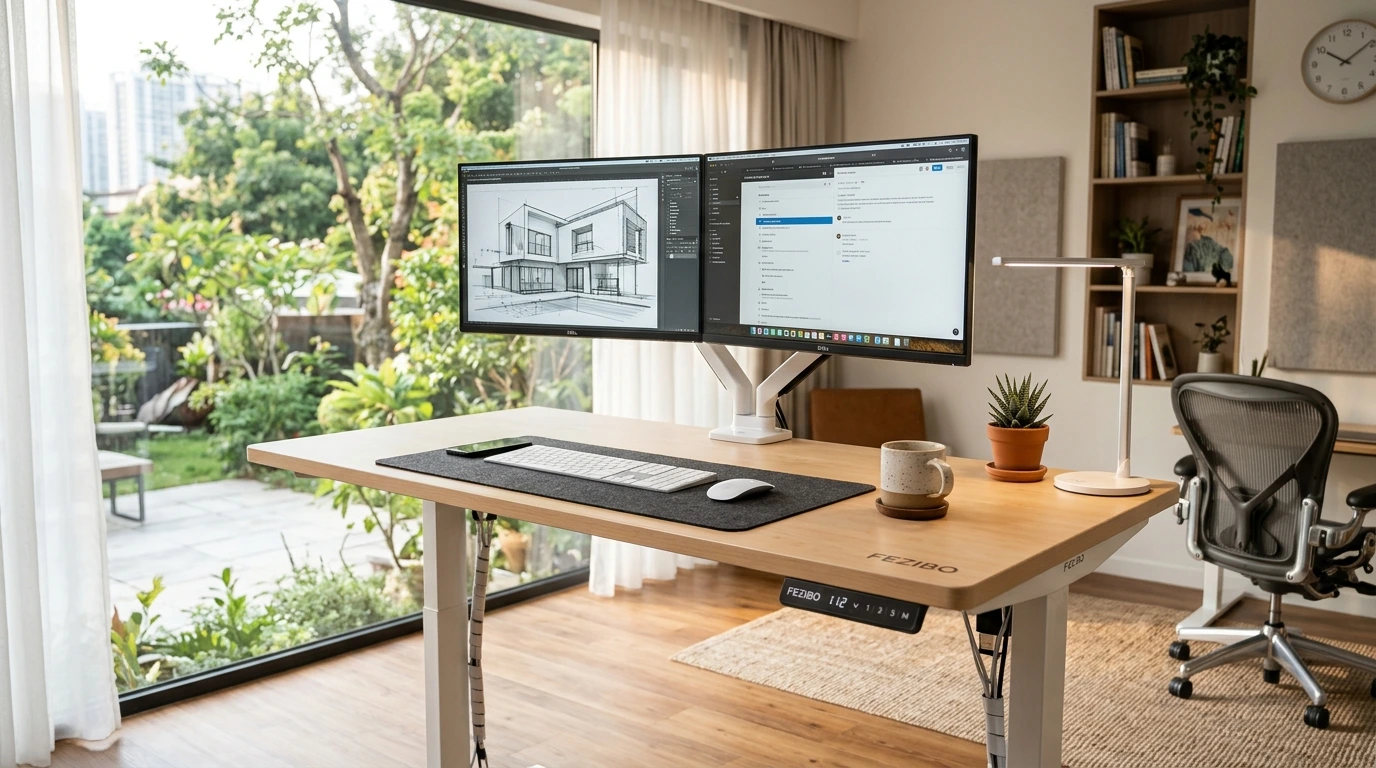

A Fezibo standing desk is one of the most common budget sit-stand desks on Amazon, and it is easy to see why. The desks come in many sizes, look clean, and cost less than big-name rivals. But a low price raises fair questions. Will it wobble? Can it hold two monitors? Which size actually fits your room? I went through the whole lineup to help you pick the right one. You will find a model-by-model chooser, honest pros and cons, and a fair comparison with FlexiSpot and other budget brands. I also added a quick reset and troubleshooting section, because that matters after you buy.
- Best overall: the 48 x 24 inch maple desk fits most rooms and most setups.
- Best for tight spaces: the 40 x 24 and 32 x 19 inch desks.
- Best for big setups: the 71 x 37 inch large desk with a 1 inch thick top.
- Best corner desks: the triple motor 63 inch L-shaped desk and the 63 x 55 inch L-shaped desk.
- Every budget desk wobbles a bit at full standing height. Bigger tops and heavy loads make it more noticeable.
- Always check the weight capacity on the listing before you add monitors, arms and a keyboard tray.
- Most problems are fixed with a simple reset. You will find the steps near the end.
Fezibo Review: Our Quick Verdict
Is Fezibo any good? Yes, for most home office users. These desks do the basic job well. They raise, they lower, and they look nice doing it. You get a lot of size choices, from a tiny 32 inch desk to huge L-shaped corner desks.
Here is the honest part. A budget desk is not a premium desk. You will likely feel some shake at full standing height, mostly when you type hard. Some tops are built from two joined pieces, called a splice board. That keeps shipping costs down, but it leaves a seam in the middle of the desk.
So who should buy one? People who want an electric desk without paying premium prices. People who work on a laptop or one or two monitors. People who stand for part of the day, not all of it.
Who should skip it? Very tall users who need the desk at its top height all day. People with three big monitors on heavy arms. Anyone who hates even a little wobble. Those buyers should look at sturdier, pricier frames.
A cheap standing desk is worth it if you will actually stand. The best desk is the one you use, not the one with the longest spec sheet.
Is a cheap standing desk worth it? For most people, yes. The jump from a fixed desk to any sit-stand desk is huge. The jump from a budget desk to a premium desk is much smaller. Spend the difference on a good chair or a monitor arm if your budget is tight.
Fezibo Models Compared: Size, Use and Price Tier
So here is a simple chooser list. Match your room and your screens to a model. Then read the full section for that desk below.
- 32 x 19 inch, maple: laptop only, small bedroom, dorm or nook. Lowest price tier in the lineup.
- 40 x 24 inch, white frame and maple top: laptop plus one monitor. Lower price tier.
- 48 x 24 inch, maple, FSC wood: one large monitor or two small ones. Middle price tier. Best pick for most people.
- 71 x 37 inch, white, 1 inch thick top: two or three monitors, lots of paper and gear. Higher price tier.
- 63 inch L-shaped, triple motor, black and rustic brown: corner gaming or work setups. Higher price tier.
- 63 x 55 inch L-shaped, white frame and light walnut top: corner office with a lighter look. Higher price tier.
Fezibo also sells other versions, such as larger rectangle desks and desks with drawers or one-piece tops. Those are covered in their own section below. As a rule, bigger desks and more motors cost more. Check the current price on Amazon, since it changes often.
Which Fezibo size should I buy?
Start with your screens, not your room. That sounds odd, but it works. Your monitor setup decides how much width and depth you need.
- Measure your monitor width. Add about 12 inches on each side for speakers, a lamp or a phone.
- Measure how deep your space is. Deeper desks let you sit farther from the screen, which helps your eyes.
- Check your floor space with tape. Mark the desk outline and walk around it for a day.
- Think about your chair. It needs room to roll back without hitting a wall or bed.
- Pick the smallest desk that fits your gear comfortably. Smaller desks tend to feel steadier.
Quick guide: a 24 inch deep desk works for most single monitor setups. A deeper desk, like 37 inches, is great for big screens. Laptops alone are fine on almost any size.
Best Overall: Fezibo 48 x 24 Electric Standing Desk
This is the size I would point most friends toward. It is wide enough for real work and small enough for most rooms.
1. FEZIBO 48 x 24 Inch Electric Desk, Maple (FSC)
This desk suits most home office workers who use one big monitor or two smaller ones. The 48 inch width leaves room for a keyboard, mouse and a coffee mug without crowding. The maple top looks warm and fits in living rooms and bedrooms. The wood carries Forest Stewardship Council certification, which matters if you care about where materials come from.
Pros:
- 48 x 24 inch size fits most rooms and most single or dual monitor setups.
- Electric height adjustment, so no hand cranks.
- Maple finish looks warm and goes with many styles.
- Forest Stewardship Council certified wood is a nice bonus.
- Mid-size tops usually feel steadier than very wide ones.
Cons:
- 24 inch depth puts large monitors fairly close to your face.
- Two big monitors will fill the surface quickly.
- Like most budget desks, expect a little shake at full height.
- Check the listing for weight capacity before adding heavy arms.

- One-Touch Height Adjustment: Easily adjust the FEZIBO electric standing desk from 28.3″ to 46.5″. With 3 customizable me…
- Outstanding Stability: Built with a reinforced steel frame, this 47.2″ x 23.6″ standing desk supports up to 176 lbs, pro…
- Powerful Motor: Uprated lifting performance with reliable long-term operation, tested for up to 50,000 lift cycles, with…
- Multiple Sizes & Colors: Crafted from FSC-certified wood for a sustainable choice, the splice desktop comes in a range o…
- Effortless Assembly: Most components come pre-assembled for quick, hassle-free setup. With a detailed manual and video g…
Why is this my top pick? Balance. It is big enough to grow into, but not so big that wobble becomes a real issue. If you are torn between sizes, this one is the safe middle choice. Pair it with one of our adjustable monitor stands to get your screen at eye level.
Best for Small Spaces: Fezibo 40 x 24 and 32 x 19 Desks
Small rooms still deserve a standing desk. These two models squeeze into corners, nooks and shared spaces. Just be honest about what you plan to put on them.
2. FEZIBO 40 x 24 Inch Electric Desk with Splice Board
This desk suits people with a small office or a corner of a bedroom. It works well for a laptop plus one monitor. The white frame and maple top look bright and help a small room feel open. It is a good pick if you want a real desk, not a tiny stand, but space is tight.
Pros:
- 40 x 24 inch size fits small rooms but keeps a normal desk depth.
- Electric sit-stand adjustment.
- White frame with maple top looks light and clean.
- Splice board top usually means a smaller, easier shipping box.
Cons:
- Splice board leaves a seam across the middle of the top.
- Not wide enough for two large monitors side by side.
- The seam can get in the way of clamp-on monitor arms placed at the center.
- White frames can show scuffs over time.

- One-Touch Height Adjustment: Easily adjust the FEZIBO electric standing desk from 28.3″ to 46.5″. With 3 customizable me…
- Outstanding Stability: Built with a reinforced steel frame, this 39.4″ x 23.6″ standing desk supports up to 176 lbs, pro…
- Powerful Motor: Uprated lifting performance with reliable long-term operation, tested for up to 50,000 lift cycles, with…
- Multiple Sizes & Colors: Crafted from FSC-certified wood for a sustainable choice, the splice desktop comes in a range o…
- Effortless Assembly: Most components come pre-assembled for quick, hassle-free setup. With a detailed manual and video g…
3. FEZIBO 32 x 19 Inch Electric Desk, Maple
This is the smallest desk in the group. It suits laptop users, students and anyone with a tiny nook. It can also work as a second standing station next to your main desk. If you only need room for a laptop and a mouse, this is all you need.
Pros:
- 32 x 19 inch footprint fits almost anywhere.
- Electric height adjustment in a very small package.
- Maple finish looks warm and simple.
- Great as a laptop desk or a side standing station.
- Small tops tend to feel steadier than large ones.
Cons:
- 19 inch depth is shallow. A monitor will sit close to your eyes.
- Very little room for a full keyboard, mouse and notes together.
- Not a good fit for dual monitors.
- Can feel cramped for long workdays.

- One-Touch Height Adjustment: Easily adjust the FEZIBO electric standing desk from 28.3″ to 46.5″. With 3 customizable me…
- Outstanding Stability: Built with a reinforced steel frame, this 31.5″ x 18.9″ standing desk supports up to 176 lbs, pro…
- Powerful Motor: Uprated lifting performance with reliable long-term operation, tested for up to 50,000 lift cycles, with…
- Multiple Sizes & Colors: Crafted from FSC-certified wood for a sustainable choice, the splice desktop comes in a range o…
- Effortless Assembly: Most components come pre-assembled for quick, hassle-free setup. With a detailed manual and video g…
For either small desk, clutter is the enemy. A laptop stand with storage lifts your screen and hides cables and pens underneath. That frees up precious surface space.
Best for Big Setups: Fezibo 55 x 30, 71 x 37 and 83 x 37
Big desks are amazing for gamers, designers and anyone with lots of gear. Fezibo offers several large sizes. The 71 x 37 inch model is the one in my list, so that is where I focus. The 55 x 30 and 83 x 37 sizes follow the same idea. Smaller of the three for medium rooms, larger for very big setups. Check each listing for its own details.
4. FEZIBO 71 x 37 Inch Large Electric Desk, 1″ Thick Top, White
This desk suits power users with two or three monitors, a tower PC, or lots of paperwork. The 37 inch depth lets you sit back from big screens, which is easier on your eyes. The 1 inch thick desktop feels solid and handles clamps well. Pick this one if you have the floor space and want room to spread out.
Pros:
- 71 x 37 inch surface fits multiple monitors and plenty of gear.
- Deep 37 inch top lets you sit a healthy distance from screens.
- 1 inch thick desktop feels sturdy and suits clamp-on arms.
- Bright white finish looks modern.
- Electric height adjustment.
Cons:
- Needs a big room. Measure twice.
- Large tops show more wobble at full standing height.
- Heavy to move and harder to assemble alone.
- White surfaces show stains and dust more easily.

- 【Extra-Large Desktop Workspace】The 71″ x 37″ computer desk offers well-organized zones for monitors, PC towers, printers…
- 【Rock-Solid Stability】Built with integrated dual crossbeam and thickened & extended alloy steel frame, this adjustable d…
- 【Powerful Motor & Smart Controller】Equipped with a high-performance motor, this stand up desk adjusts smoothly from 28.3…
- 【3-Piece 1″ Thickened Desktop】Crafted from FSC-certified wood, the 3-piece, 1-inch-thick desktop is scratch-resistant & …
- 【7-Step Fast Assembly】The desktop and frame split in 2 packages for safe delivery. Most components come pre-assembled fo…
A big desk tempts you to load it up. Be careful. A wide top with heavy monitors at the far ends puts more stress on the frame. Keep the heaviest items close to the legs when you can.
Best L-Shaped Fezibo Desks for Corner Setups
A Fezibo L-shaped desk turns an empty corner into a full workstation. You get one side for your computer and one side for writing, a printer, or a second machine. L-shaped desks also tend to feel steadier than long rectangle desks, because the extra leg braces the corner.
5. FEZIBO Triple Motor 63″ L-Shaped Desk, Black and Rustic Brown
This desk suits gamers and heavy users who want a big corner setup. The triple motor design means each leg has its own motor, which helps lift a heavier, wider frame evenly. The black frame and rustic brown top give a darker, moody look that fits a gaming room. Choose it if you want lots of space and a bold style.
Pros:
- Triple motor setup helps lift a large L-shaped frame evenly.
- 63 inch corner design gives you two work zones.
- Black frame with rustic brown top looks great in gaming setups.
- Three legs usually make the corner feel steadier than a long single desk.
- Electric height adjustment.
Cons:
- Splice board top means visible seams.
- Takes up a lot of floor space.
- Assembly takes longer than a simple rectangle desk.
- Only fits one corner direction unless the listing says it is reversible. Check before you buy.

- Wide desktop space: FEZIBO L shaped standing desk has large desktop space to meet your office needs.63 inch large deskto…
- Powerful lifting ability: FEZIBO standing desk equipped with three high-power motors, adjustable desk l shape has stable…
- Sturdy frame: FEZIBO adjustable standing desks are built with industrial-grade steel frames that can hold up to 330 poun…
- Bonus Accessories: The adjustable desk has casters to prevent scratching the floor, while moving stand up desk is very c…
- High quality customer service: we provide detailed installation instructions to make the installation process your enjoy…
6. FEZIBO 63″ x 55″ L-Shaped Desk, Light Walnut and White
This desk suits home office workers who want a corner desk with a lighter, softer look. The 63 x 55 inch shape gives you a long main side and a generous return. The light walnut top with a white frame feels fresh in bright rooms. It works well if you split your day between computer work and paper work.
Pros:
- 63 x 55 inch shape gives two large work areas.
- Light walnut top and white frame look bright and calm.
- Corner design uses space that often goes to waste.
- Electric sit-stand adjustment.
Cons:
- Splice board top has seams where pieces join.
- Big footprint. Not for small rooms.
- Takes time and ideally two people to assemble.

- 「63″ Ample Workspace」:63*55″ L-shaped adjustable height desk for home office and gaming by providing large space.Large s…
- 「Unique Reversible Installation Feature」: Effortlessly Choose between left/right long-side configurations to maximize sp…
- 「Electric Height Adjustable」: Fezibo L shape standing desk has 3 preset buttons to customize your desired heights with c…
- 「Powerful Lift System」: The stand up desk with sturdy steel. Contained an industrial-grade steel frame that able to supp…
- 「Hassle-free Installation」: FEZIBO has prepared detailed installation instruction for this L-shaped standing computer wo…
Which corner desk should you choose? Go with the triple motor model if you want a confirmed three-motor lift and a dark style. Go with the 63 x 55 inch model if you prefer a lighter look and a big return side. Either way, a corner setup looks best when it is tidy. Our list of home office desk accessories has plenty of organizers that help.
Fezibo Desks with Storage, Drawers and One-Piece Tops
Fezibo also sells versions with built-in drawers and versions with one-piece tops. If one is must for you, go for FEZIBO 60 x 30 inch Standing Electric Desk with Drawers One-Piece Top + Drawers (Standard Desks) or FEZIBO 63″x48″ L Shaped Standing Desk with Drawers & Shelf L-Shaped with Drawers
A drawer is handy for pens, chargers and notebooks. It keeps your top clean. The trade-off is that a drawer hangs under the desk, so it can bump your knees when you sit. Check the gap between the drawer and your legs at sitting height.
One-piece tops skip the seam of a splice board. They look cleaner and give clamps a solid surface anywhere. The downside is a bigger, heavier shipping box. If the seam bothers you, look for a one-piece option. If you want easier delivery, a splice board is fine.
Stability, Motor Noise and Build Quality: What to Expect
This is the part most brand pages skip. Let me be straight with you.
Does a Fezibo desk wobble at standing height?
Yes, a little. Almost every budget desk does. Wobble comes from simple physics. The taller the legs, the more they can sway. The wider and deeper the top, the more room your hands have when you type.
Here is how wobble usually changes:
- Low height: almost no shake.
- Middle height: slight movement when you lean or type hard.
- Full height: the most shake, often side to side.
- Small tops: steadier, because there is less leverage.
- Wide or deep tops: more movement at the edges.
- L-shaped desks: often steadier, thanks to the third leg.
Shorter users rarely notice. Taller users who need the desk near its top height notice more. If you are tall, check the height range on the listing and see where you fall. Being in the middle of the range is better than being at the very top.
A few tips reduce wobble a lot. Tighten every bolt again after a week of use. Level the feet on uneven floors. Put the desk against a wall. Use a soft rug under it if your floor is slick. And keep heavy gear near the legs, not at the far edges.
Can a Fezibo desk hold multiple monitors?
Yes, within limits. Two monitors are fine on the wider models. Three monitors work best on the large or L-shaped desks.
The real question is total weight. People forget how fast it adds up. Count everything:
- Each monitor and its stand or arm.
- Your laptop, dock and speakers.
- A desktop PC, if it sits on the desk or hangs below.
- Bottom-mounted gear like keyboard trays, CPU holders and cable trays.
- Books, plants, lamps and your arms leaning on the edge.
Bottom-mounted accessories still count. A CPU holder bolted under the desk lifts with the frame, so the motor carries it too. Stay well under the listed capacity. A good rule is to leave a healthy buffer. Motors last longer when they are not working at their limit.
Monitor arms deserve one more warning. Clamp arms grip the edge of the top. Avoid clamping right over a splice board seam. Place the clamp on a solid section instead. A sturdy monitor stand or riser is another option that skips clamps completely.
Motor noise
Electric desks hum when they move. That is normal. Single motor desks tend to work a bit harder. Dual and triple motor desks share the load, which can help with heavier setups. You only hear the motor for a few seconds at a time, so noise is rarely a deal breaker. If a motor clicks, grinds or stutters, that is not normal. See the troubleshooting section below.
Assembly time and ease
Plan for some real time. A small rectangle desk is a reasonable solo job for most people. Large desks and L-shaped desks are much easier with two people. The tops are heavy and awkward to flip.
Some easy assembly tips:
- Open the box near where the desk will live. Big tops are hard to carry.
- Lay out every part on a blanket so nothing gets scratched.
- Build the frame upside down on the underside of the top.
- Hand-tighten bolts first. Fully tighten them once everything lines up.
- Route cables before you flip the desk over.
- Flip it with a helper, lifting by the frame, not the top edges.
Warranty and support
Warranty terms differ by model and can change. Check the listing and the paperwork in the box. Keep your order number and take photos of your desk once it is built. If something goes wrong, those photos make a claim much smoother. Contact support through Amazon or the brand, and describe the problem clearly, including any error code on the display.
Fezibo vs FlexiSpot, Cubiker, CubiCubi and ErGear
The Fezibo vs FlexiSpot question comes up a lot on Reddit and in buyer forums. Here is a fair, simple way to think about these brands. I am not quoting specs here, since they vary by model. Instead, focus on what to compare.
- Fezibo: lots of sizes and styles, from tiny desks to big L-shapes. Strong choice if you want a specific size or color at a budget price.
- FlexiSpot: a larger, well-known standing desk brand with both budget and higher-end lines. Good if you want to step up to a sturdier frame later.
- Cubiker: budget brand that also sells many desk styles. Worth comparing on size, motor count and top style.
- CubiCubi: another budget option with a wide range. Compare closely with Fezibo on the same size.
- ErGear: budget ergonomic brand with desks and accessories. Good to compare if you want a matching setup.
When you compare two desks of the same size, check these things:
- Number of motors. More motors help with wide or heavy desks.
- Weight capacity. Compare it to your real gear list.
- Height range. Make sure your standing height sits in the middle, not at the top.
- Top type. Splice board or one-piece.
- Top thickness. Thicker tops handle clamps better.
- Memory presets on the keypad.
- Warranty length and how you file a claim.
Honestly, in the budget tier these brands are more alike than different. Pick the one that gives you the right size, motor count and look for the money. Do not overpay for a brand name if the specs match. And do not pick the cheapest desk if it has fewer motors for a big top.
Quick Fezibo Reset and Troubleshooting Tips
Most desk problems are small and fixable at home. This box covers the basics of fezibo standing desk troubleshooting. Always follow the steps in your Fezibo standing desk manual first, since controllers can differ by model.
How do I reset my Fezibo electric standing desk?
Most budget desks with a digital keypad use a similar reset. Here is the general method:
- Clear the space around and under the desk.
- Press and hold the down button until the desk reaches its lowest point.
- Keep holding the down button for several more seconds.
- Wait for a beep, a small jolt, or a reset message on the display.
- Release the button. The desk should now move normally.
If that does not work, unplug the desk for about a minute. Plug it back in and try the reset again. Your manual will confirm the exact steps for your keypad.
Common problems and fixes
- Desk will not move: check the power cable, the wall outlet and every cable under the desk. A loose plug is the usual cause.
- Error code on the display: look it up in your manual. Most codes point to a loose cable, overload, or a reset need.
- Desk stops partway: remove some weight and check for anything blocking the legs, like a chair or bin.
- One side is higher: run the reset. This often levels the legs again.
- Desk moves on its own: check for a stuck button or something resting on the keypad.
- Grinding or clicking: stop using the desk and contact support. Do not force it.
A quick note on overload. Many desks shut down if they detect too much weight. If your desk stops after you add a new monitor, the load may be the problem. Lighten it and try again.
Lost your paper manual? Look for a digital copy through the brand’s support channel or your Amazon order page. Keep a photo of key pages on your phone for next time.
Common Mistakes to Avoid
Buying a standing desk is exciting. Here are the mistakes I see most often.
- Buying the biggest desk you can afford, then fighting wobble every day.
- Ignoring depth and sitting too close to large monitors.
- Forgetting the weight of bottom-mounted gear.
- Clamping a heavy monitor arm over a splice board seam.
- Leaving cables too short, so they pull when the desk rises.
- Never standing. A sit-stand desk only helps if you use both modes.
That last one matters most. Set a simple habit. Stand for calls. Sit for deep work. Switch when you feel stiff. You do not need a strict schedule. Standing all day is the goal. Moving often is the real goal.
Finishing Your Setup
A new desk is a great excuse to tidy up. Run cables along the frame with clips or a tray. Add a desk mat to protect the top. Keep the surface clear so you can see that nice wood finish.
A little style goes a long way too. If you want ideas, our roundup of stylish desk accessories has plenty of picks that look good on maple, walnut or white tops. Choose pieces that match your desk color for a calm, put-together look.
Final Thoughts
So, is a Fezibo standing desk worth it? For most home office users, yes. Pick the 48 x 24 inch maple desk if you want one safe choice. Go small with the 40 x 24 or 32 x 19 inch desk for tight rooms and laptop work. Choose the 71 x 37 inch desk for big multi-monitor setups, or one of the L-shaped models for a corner. Expect a little wobble at full height, keep your total load well under the listed limit, and keep the reset steps handy. Skip it if you are very tall, run a heavy triple monitor rig, or want a rock-solid premium frame. Everyone else gets a solid, good-looking sit-stand desk for a fair price. Check the current price on Amazon, measure your space, and start standing more this week.
About the author: Connect on LinkedIn