


The best laptop stands for home office work does one simple job. It lifts your screen to eye level so your neck stops bending like a question mark. You know the drill. Desk, laptop, eight hours, sore shoulders by 4pm. A good riser fixes the angle, frees your desk, and lets air cool your machine. We dug through live Amazon listings, real review counts, and owner feedback to separate the keepers from the wobblers. These are the best laptop stands 2026 has to offer, from $8 budget heroes to premium walnut slabs and full sit-stand converters.
Here is what this guide covers at a glance:
- What a laptop stand actually fixes: posture, neck strain, wrist angle, and airflow
- The four stand types that matter: adjustable risers, vertical docks, travel foldables, and sit-stand converters
- Our #1 pick and why it wins: Lamicall’s aluminum riser for balance of price, stability, and reach
- Budget picks: Thibault at $9.99 and Tonmom at $7.59
- Premium picks: SAMDI walnut and the VIVO standing desk converter
- How high to raise it: the eye level rule in plain words
- When to add an external keyboard and mouse so your wrists stay straight
- Honest answers to the FAQ that everyone googles about neck pain and screen height
Why Your Desk Setup Is Screaming for a Riser
Your head weighs about 10 to 12 pounds. The further it leans forward toward a low screen, the more your neck muscles have to carry. Ergonomists call this “forward head posture,” and it is the quiet engine behind most WFH neck and shoulder pain. Raise the screen, and your head naturally stacks back over your spine. That one change removes hours of silent strain every single day.
The eye level rule is simple. Sit tall, and the top of your screen should sit level with your eyes, about an arm’s length away. Your elbows should rest near 90 degrees with your forearms flat, and your wrists should stay straight, not bent up like a waiter holding a tray. A laptop stand for desk use nails the screen part, and an external keyboard and mouse fix the wrist part. Together they turn a cramped hunch into a neutral, relaxed position.
Cooling is the second win. A flat desk traps heat under your laptop. An aluminum laptop stand lifts the machine and lets air move underneath, which keeps fans quieter and the chassis cooler during video calls and long builds. Many risers add cutouts for heat ventilation, and some add powered fans for heavy workloads.
Tidiness is the third win. A riser clears desk space, hides a keyboard beneath it (many have a keyboard nook), and several models route your charger cable through a cable management hole. One good stand can erase half of your desktop chaos. If cables are your real enemy, pair your new stand with the best cable management for desk guide we already published.
Pro tip from 8 years of desk reviews: raise the laptop until the top edge of the screen meets your eye line, then add an external keyboard. Two inches of lift beats twenty dollars of pain cream, every single time.
We did not just read spec sheets. We cross-checked live ratings and review volumes on Amazon, where these products have been stress-tested by real owners. The havit cooling pad alone carries over 45,000 ratings. That is the kind of word of mouth you can trust. Before you buy anything, watch how a serious reviewer sets up his own desk with a riser, external keyboard, and proper screen height.
Video: Dygma Lab’s deep dive on why laptop stands matter and how to pick one. Watch 👇👇👇
Sitting all day is bad enough. Hunching on top of it is worse. A riser is the cheapest upgrade in your whole home office desk setup playbook, and most options cost less than a week of coffee. If your desk is tiny, start with our 11 best space-saving laptop desks for small offices so the riser has room to breathe. And if your chair leaves your feet dangling, an ergonomic footrest under desk completes the lower half of your posture fix.
Best Adjustable and Aluminum Laptop Stands (Picks 1–7)
The most popular stands in 2026 are foldable aluminum risers with multiple height settings. They suit almost any laptop between 10 and 17 inches, including the best laptops for home office use. Here are the seven we rate highest.
1. Best laptop stand for MacBook Air and Pro: Lamicall Aluminum Laptop Stand
Lamicall is the name reviewers trust. This foldable aluminum riser supports 10 to 17.3 inch laptops, which covers every MacBook Air and Pro, plus Dell, HP, and Lenovo machines. Six height settings take your screen from low to near eye level, and the anti-slip rubber pads keep the laptop planted while you type. At $29.98 with a 4.7 star rating from over 10,400 buyers, it is the safest all-rounder on this list. This is our top answer when people ask for a best ergonomic laptop stand for daily remote work.
Pros:
- Fits 10 to 17.3 inch laptops, including MacBook Pro 16 inch
- Six height settings and two fold angles
- Stable aluminum alloy with anti-slip pads
- Folds flat for storage or travel
Cons:
- No cable management hole
- Price is higher than budget rivals
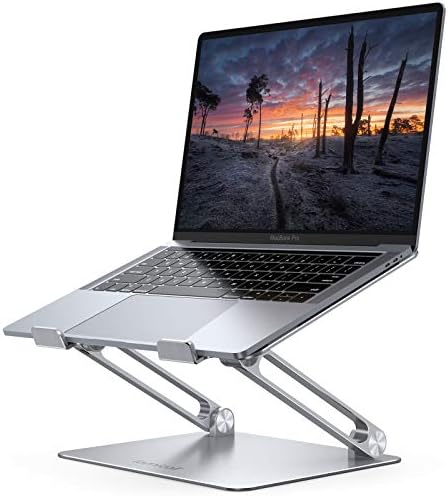
- Wide Compatibility: The laptop stand for desk is compatible with all laptops from 10″ up to 17.3″, including popular mod…
- Adjustable & Portable Design: The laptop riser can be easily adjusted to comfortable height and angle based on your actu…
- Upgrade Large Base: Made of high-quality aluminum alloy, the larger heavier base greatly improves the stability of the n…
- Ergonomic Design: The MacBook air pro stand holder works as a raiser to elevate the laptop screen to your eye level. The…
- Heat Dissipation: The multiple ventilation holes offers better ventilation and more airflow to cool your laptop and prev…
2. Best laptop stand for home office desk setup: BESIGN LS03
The BESIGN LS03 is the most-reviewed aluminum riser we found, with 24,100 ratings and a 4.8 star average. It detaches into two pieces, which makes it sturdier than single-hinge rivals and easy to rinse under a tap when coffee happens. The open front lets your keyboard slide underneath, saving real estate on small desks. If you want a laptop stand that isn’t wobbly when typing, this locked-together design is your friend.
Pros:
- 24,100 ratings at 4.8 stars
- Detachable two-piece design for extra stiffness
- Keyboard slides under the open front
- Silver aluminum matches most setups
Cons:
- Fixed height, not adjustable
- No rubber grip on the front lip

- Broad Compatibility: Besign LS03 Laptop Mount is compatible with all laptops from 10”-15.6”, such as Air 13, Pro 13 / …
- Ergonomic Design: This LS03 Laptop Stand could elevate your laptop by 6’’ to a perfect viewing level, help you improve y…
- Stable And Protective: This laptop stand is made of premium Aluminum alloy, it is sturdy, support up to 8.8 lbs(4kg), no…
- Keep Laptop Cool: the open aluminum design provides good ventilation and airflow to prevent your laptop from overheating…
- Easy to Use: thanks to the detachable design, you could assemble it very easily it 3 steps.
3. Best ergonomic laptop stand for neck pain: Nulaxy Adjustable Riser
Nulaxy’s folding riser is built for posture correction. The six-level height adjustment and heat-vent slots target the two complaints that send people searching: neck strain and hot laptops. It holds 10 to 16 inch machines and reaches a high angle that nearly meets eye level for most desk chairs. With 16,800 ratings, a 4.7 star score, and a Best Seller badge, it is the budget-friendly answer to “does a laptop stand help with neck pain?” It does, if you set it right.
Pros:
- Best Seller with 16,800 reviews
- Six height settings plus two tilt angles
- Advanced heat-vent design for airflow
Cons:
- Not for laptops over 16 inches
- Plastic hinge sleeves can wear with heavy daily folding
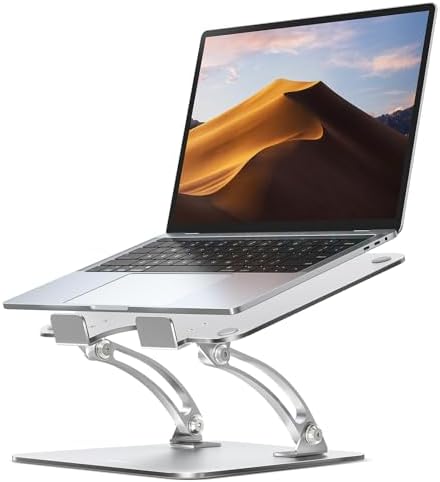
- Ergonomic Posture Correction: Designed to elevate your laptop to the perfect eye level, this adjustable laptop stand sig…
- Unshakable Dual-Rod Stability: Unlike single-hinge models, our stand features a highly engineered dual-support rod mecha…
- Advanced Thermal Cooling Panel: Maximize your device’s performance. The unique geometric heat-vent design on the upper p…
- Universal 10-16” Compatibility: A versatile computer riser that seamlessly fits all 10 to 16-inch laptops. Broadly compa…
- Foldable, Portable & Ready to Go: Maximize your productivity anywhere. The dual-foldable design allows the stand to coll…
4. Best budget laptop stand: Thibault Aluminum Stand
At $9.99, the Thibault is almost a no-brainer. It is a ventilated aluminum riser that fits 13 to 16 inch laptops, including beefy ThinkPads and Alienwares. Assembly takes minutes with the included wrench, and the open lattice keeps airflow moving. Ratings sit at 4.6 stars from 770 buyers. Spend the money you save on a decent external keyboard, because your wrists still need it. This is the best budget laptop stand we can recommend without a single compromise on stability.
Pros:
- $9.99, cheapest quality option here
- Ventilated aluminum for heat dissipation
- Easy tool-free assembly
- 4.6 star rating, no wobble reports at this price
Cons:
- One fixed height
- Smaller 13 to 16 inch fit range

- 1.Sturdy Aluminum Alloy Laptop Stand: StDiscover the essence of simplicity and strength with our laptop stand. Meticulou…
- 2.Easy to assemble :Effortless assembly awaits! Our laptop stand is designed for quick and easy setup. Say goodbye to co…
- 3.Rise laptop to comfortable height : Experience ergonomic excellence with our thoughtfully designed laptop ventilation …
- 4.Laptop cooling stand: Elevate your laptop experience with our innovative stand! By raising your laptop, you allow effi…
- 5.Compatibility with 13/14/15.6 Laptop : Unleash universal compatibility with our laptop stand! Crafted to accommodate l…
5. Best adjustable laptop stand for desk: Amazon Basics Ergonomic Riser
Amazon Basics rarely innovates, but it always delivers solid value. This height-adjustable riser fits laptops up to 15.6 inches, ventilates through the platform, and folds for storage. It earns 4.6 stars from 3,800 owners who praise its sturdy feet and honest build. Nothing flashy, just a dependable adjustable laptop stand for people who want one riser that will outlive three laptops. For more height-flexible options, our full best adjustable laptop stands roundup covers telescopic and gas-lift models in depth.
Pros:
- Sturdy ventilated steel platform
- Adjustable height without tools
- 4.6 stars with 3,800 ratings
Cons:
- 15.6 inch limit
- Plain silver looks

- Ergonomic Height Adjustment:Achieve personalized comfort with up to 7 inches of height adjustment, helping improve postu…
- Optimized Compatibility for Everyday Use:Designed to support laptops and tablets from 10 to 15.6 inches, including popul…
- Sturdy and Durable Construction:Crafted from lightweight, rust-resistant aluminum with a loading capacity of 11 lbs (5 k…
- Enhanced Ventilation:The open hollow design promotes airflow and heat dissipation, helping keep your laptop cool during …
- Portable and Space-Saving:Folds flat for easy storage and portability, fitting effortlessly into most laptop bags. Compa…
6. Best adjustable laptop stand with 360 rotation: LOXP Rotating Stand
The LOXP adds a party trick: a 360 degree rotating base. Spin the screen toward a client, a teammate, or your second monitor without lifting a finger. It stands on a solid round base, folds flat, fits MacBook Pro and Air, and carries a 4.6 star score from 2,400 buyers at $31.99. For collaboration-heavy jobs or cramped corners, the swivel saves your neck from a permanent twist. Pair it with monitor mount laptop stand combo ideas if you run two devices at once.
Pros:
- 360 degree rotating base
- 4.6 stars, sturdy round footprint
- Folds flat for travel
Cons:
- Slightly tall base shrinks under-desk clearance
- Pricier than standard risers
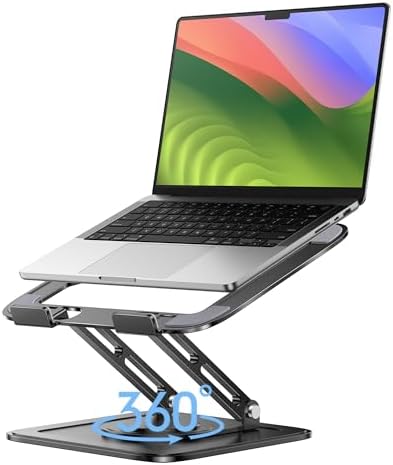
- ✔️[Foldabe & Protable] – Foldable laptop stand for desk & Protable computer stand, It combines the advantages of market …
- ✔️[360°Rotation] – The computer stand with 360° rotating base, 360° rotation connected with the base is more flexible, t…
- ✔️[Stable & Durable] – The Computer stand is made of one-piece fiber metal material, which is more durable and stable th…
- ✔️[Ergonmic Desing] – You can freely adjust the height and angle of the laptop stand to keep it at eye level, which help…
- ✔️[Wide Compatibility] – Our laptop stand is compatible with all laptops from 10-16 inches, such as MacBook Air/Pro, Goo…
7. Best aluminum laptop stand for desk on a budget: Leeboom
The Leeboom hits the sweet spot between the $10 stand and the $30 premium. At $11.99 with 14,900 ratings and 4.6 stars, it is one of the most-praised value risers on Amazon. It supports 10 to 15.6 inch laptops and tablets, adjusts to multiple heights and angles, and folds flat. The aluminum body looks more expensive than it is, which is exactly what a budget buyer wants.
Pros:
- $11.99 with 14,900 ratings
- Multiple height and angle settings
- Folds flat for the laptop bag
Cons:
- Not rated for 16 inch laptops
- Thin padding on the stoppers

- Adjustable and Ergonomic: The laptop stand has 7 adjustable heights that can adjust to a comfortable operating angle and…
- Wide Compatibility: This Aluminum Portable Laptop Stand is fits most laptops from 10 to 15.6 inches. It also fits for ph…
- Foldable and Lightweight: Creative portable foldable design, it weighs only 0.6 lbs and come with a portable storage bag…
- Sturdy and Protective: This Laptop Holder is sturdy enough to hold up 88 lbs weight on top. Increased 10 non-slip rubber…
- Ventilation and Cooling: Aluminum material as heat sink. The open design at the bottom of the laptop Stands enhances air…
Best Portable, Vertical, and Cooling Laptop Stands (Picks 8–12)
Different jobs need different tools. If you work from cafes, keep a vertical dock at home, or game on a hot machine, these five picks solve problems a standard riser cannot.
8. Best foldable laptop stand for travel: SODI Ultra Compact
The SODI folds to the size of a paperback and slips into any backpack. It gives you six height levels with a 4.8 star rating from 1,700 buyers, the highest average in our portable category. It handles 10 to 16 inch laptops and weighs almost nothing. For hybrid workers who live between home, office, and coffee shops, this is the best foldable laptop stand for travel period. When the sofa calls, our best lap desk for bed and couch picks cover the lounging side too.
Pros:
- Ultra compact, backpack friendly
- 4.8 stars, six height levels
- 10 to 16 inch support
Cons:
- Small footprint feels narrow for heavy laptops
- No tilt angle adjustment
![SODI [Ultra Compact] Foldable & Portable Laptop Stand for Desk, L...](https://m.media-amazon.com/images/I/41g00aPVGaL._AC_.jpg)
- 【Innovative & Ultra Compact】 The SODI Bi-foldable laptop stand weighs only 185g (iPhone 16 Pro weighs 199g) and folds up…
- 【Innovative & Spring-loaded】 Unlike conventional PC stands, the adjustable arm adopts spring design can align screens to…
- 【Sleek H-Frame Minimalism】 A striking H-shaped design holder combines elegance with durability. Excellent heat dissipati…
- 【Super Non-Slip, Superior Stability】All areas contact with the stand laptop are made of silicone non-slip pads that not …
- 【Wide Compatity】 Compatible with all 10 – 16″ devices like Macbook/ Macbook Air/ Macbook Pro Series/ Surface/ Surface Pr…
9. Best portable laptop stand that fits in a backpack: Tonmom
The Tonmom is the cheapest foldable here at $7.59, yet it still clears 17,500 ratings at 4.5 stars. The ABS and silicone build keeps weight low, the vents keep airflow moving, and it supports 10 to 15.6 inch laptops and tablets. Is it the sturdiest? No. Is it the best value for a student or a spare desk? Absolutely. At this price you can buy two, one for home and one for the office.
Pros:
- $7.59 with 17,500 ratings
- Featherweight ABS build
- Ventilated for basic cooling
Cons:
- Plastic build flexes under heavy typing
- Lower height range than aluminum rivals

- 【Adjustable & Ergonomic】:The laptop holder elevates your notebook from 2.78” to 6.5” height (7 level height) for a perfe…
- 【Sturdy & Protective】:The triangle support design make the laptop stand more stable. The large anti-slip silicone pad on…
- 【Heat Dissipation】: The forward-tilt angle and open design offers greater ventilation and more airflow to cool your lapt…
- 【Portable & Foldable】:This portable laptop stand only weighs 0.53 pounds and can be quickly folded into a small size of …
- 【Broad Compatibility】:Our laptop mount is compatible with all laptops from 10-15.6 inches, such as Dell XPS, HP, ASUS, G…
10. Best vertical laptop stand for small desks: UGREEN Vertical Dock
When the laptop is a second screen or a closed dock, a vertical stand is genius. The UGREEN holds the machine upright in a slim aluminum slot, supports up to 17.3 inch gaming laptops, and takes up almost no desk space. It scores 4.7 stars from 8,100 buyers. Your screen stays connected to a monitor via a cable, and the laptop acts as the brain while your standing desk or small desk stays clear. It is the best vertical laptop stand for tidy, monitor-first setups.
Pros:
- Space saving upright design
- 4.7 stars from 8,100 ratings
- Fits up to 17.3 inch laptops
Cons:
- Screen not usable in this position
- Slot width can be tight for thick laptops

- Dual Slot Design: The vertical laptop stand holds laptop when it’s connected to monitor or simply for storage. With upda…
- Adjustable Slot: The laptop holder stand can loosen the base screws to simply adjust the gap and tension to fit any lapt…
- Broad Compatibility: This stand for laptop is compatible with MacBook Air, MacBook Pro, Microsoft surface, Samsung Galax…
- Sturdy & Stable: The vertical laptop stand for desk is made of premium aluminum alloy, ensuring great stability for hold…
- Anti-Scratch, Anti-Slippery: The desk laptop stand holder is covered with non-slip silicone pads inside the slot, perfec…
11. Best vertical laptop stand for two laptops: OMOTON Dual Dock
The OMOTON holds two laptops side by side in a single aluminum dock. It handles MacBook Air, MacBook Pro, and gaming machines up to 17.3 inches, with adjustable slots and non-slip padding. At $19.66 with 10,600 ratings and a 4.8 star score, it is a storage powerhouse for dual-device households. This doubles as a laptop stand with storage for your second machine, and it pairs well with the laptop stand with storage organizers we tested separately.
Pros:
- Two adjustable slots for two laptops
- 4.8 stars from 10,600 buyers
- Keeps both devices off the desk
Cons:
- Needs desk depth to fit two wide laptops
- Not for use while typing

- Updated Dock Version: Double dock stand capable of supporting two laptops simultaneously (e.g. MacBook, Samsung, Microso…
- Adjustable Size: Adjustable width compatible with various laptops as well as the thickness of notebooks varying from 0.5…
- Protective Mat: Non-toxic and non-slip silicone mats cover the laptop slots to avoid scratches on your devices; non-slip…
- Durable and Stable: Its anodized aluminum is scratch-resistant and its wide base guarantees stability to prevent your la…
- Exquisite Design: Sandblasted, brushed, and CNC-machined from anodized aluminum alloy, this stand has the same texture a…
12. Best cooling laptop stand with heat dissipation: havit HV-F2056
If your laptop sounds like a jet engine by 3pm, you want fans. The havit cooling pad runs three quiet USB fans across a mesh surface, lifts the laptop with two height settings, and fits 15.6 to 17 inch machines. It is a Best Seller with 45,300 ratings at 4.5 stars, because it simply works. Creative pros running music software will appreciate the airflow, and our best laptop stand home studio guide covers more studio-specific gear. It is silent The fans hum softly, but your CPU will run cooler and quieter overall.
Pros:
- 45,300 ratings, Best Seller badge
- Three quiet USB-powered fans
- Fits 15.6 to 17 inch laptops
Cons:
- Needs USB power
- Blue LED fans can feel gamer-ish

- Ultra-Portable: Slim, portable, and light weight allowing you to protect your investment wherever you go
- Ergonomic Comfort: Doubles as an ergonomic stand with two adjustable height settings
- Optimized for Laptop Carrying: The metal mesh provides your laptop with a stable laptop carrying surface
- Ultra-Quiet Fans: Three ultra-quiet fans create a noise-free environment for you
- Extra Usb Ports: Extra USB port and power switch design allows for connecting more USB devices. Warm Tips: The packaged …
Best Premium, Sit-Stand, and Dual-Monitor Stands (Picks 13–15)
These last three are the splurges. They cost more, but they fix problems that cheap risers ignore: looks, standing breaks, and dual-screen balance.
13. Best premium laptop stand with walnut finish: SAMDI Wood
The SAMDI is a slab of walnut-finished wood with a slatted base for airflow. It turns a sterile desk into something warm, and it fits most laptops as a stylish shelf. At $54.59 it is a gift-grade piece, rated 4.6 stars from 302 owners. If your decor leans wood and plants, this is the best premium laptop stand for your vibe. Curious about the famous Homeland table before you commit? Read our Homeland wooden laptop table review to compare.
Pros:
- Beautiful walnut finish
- Slatted base for heat dissipation
- Feels like furniture, not gadgetry
Cons:
- One fixed height
- Heavier and larger than aluminum risers

- SAMDI stand fit most laptops
- Built-in air breathing slots network and fairshaped artwork combination complete a wonderful summer radiator to cool ele…
- Decent slope and ergonomic designed height shape your body and spread yourself in healthy and comfy posture
- Cord management organize data cables and charging cords through the special cutout
- Thank you for visiting my store,if there is any problem with the product,please feel free to communicate with us,we will…
14. Best laptop stand for standing at a desk: VIVO 32-inch Sit-Stand Converter
The VIVO DESK-V000K is a full sit-stand desk converter. It lifts your laptop and a second monitor between sitting and standing heights with a gas spring, and includes a wide keyboard tray. Rated 4.6 stars with 15,600 ratings at $139.99, it is the upgrade for people whose backs beg for movement. It is the best laptop stand for standing at a desk without buying a whole new standing desk. If your desk already stands, our best monitor arms 2026 list will free your surface entirely.
Pros:
- 15,600 ratings, Amazon’s Choice
- Gas spring lift for sit-stand cycling
- Keyboard tray keeps wrists flat
- Holds a laptop plus a monitor
Cons:
- Heavy, needs a strong desk
- Takes up meaningful desktop footprint

- Create Instant Active Standing – VIVO’s desk riser provides on-demand standing throughout the day for the freedom to get…
- Space Efficient 31.5″ Surface – The top surface measures 31.5” x 15.7”, which maximizes space while still providing room…
- Strong 33 lbs Lift Assist – Go from sitting to standing in one smooth motion using the innovative simple touch height lo…
- Very Minimal Assembly – This riser is almost ready to go right out of the box! Place on your existing desk, attach the k…
- We’ve Got You Covered – Sturdy, high-grade steel design is backed with a 3-Year Manufacturer Warranty and friendly tech …
15. Best laptop stand for dual screen setup: suptek Double-Deck Riser
The suptek double-deck riser parks your laptop on top and your second monitor on the shelf below, or vice versa, with vented metal platforms and a 4 inch storage gap underneath. It supports printers, screens, and laptops with a 4.8 star score from 122 owners at $33.99. For people juggling a laptop and an external display, this creates a clean two-tier workstation. Plan the full layout with our best dual monitor stand for desk roundup, or go deeper on single risers with the best monitor stand for desk guide.
Pros:
- Two vented levels for laptop plus monitor
- 4 inch storage shelf underneath
- 4.8 star rating
Cons:
- Fixed 4 inch height
- Not adjustable to eye level for tall users
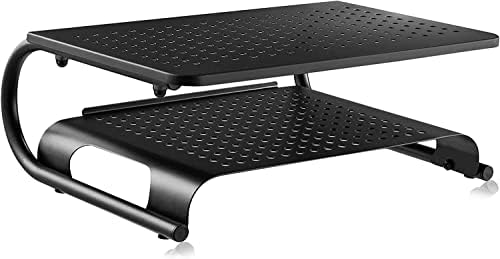
- MULTIPURPOSE STAND RISER – You can easily customize this screen riser as a 2-layer or single layer riser, such as a moni…
- VENTILATED DESIGN – Sturdy and large platform with vented holes, this screen riser will prevent overheating and keep the…
- STABLE & DURABLE – This monitor stand is made of heavy-duty steel, easily holds equipment up to 20kg. With reinforced bo…
- ERGONOMIC DESIGN – This monitor stand riser can not only raise the monitor to a suitable height, but also improve your s…
- EASY TO INSTALL – It only takes minutes to assemble the laptop computer stand riser into a single or a double layer as y…
Laptop Stand Comparison Table
| Product | Best For | Price | Rating | Reviews |
|---|---|---|---|---|
| Lamicall Aluminum | MacBook Air & Pro | $29.98 | 4.7 | 10,400+ |
| BESIGN LS03 | Sturdy desk setup | $16.99 | 4.8 | 24,100 |
| Nulaxy Riser | Posture & neck pain | $15.99 | 4.7 | 16,800 |
| Thibault Aluminum | Budget desks | $9.99 | 4.6 | 770 |
| Amazon Basics | Adjustable, no frills | $29.99 | 4.6 | 3,800 |
| LOXP 360 | Screen sharing | $31.99 | 4.6 | 2,400 |
| Leeboom | Value aluminum | $11.99 | 4.6 | 14,900 |
| SODI Compact | Travel | $16.99 | 4.8 | 1,700 |
| Tonmom Foldable | Backpack carry | $7.59 | 4.5 | 17,500 |
| UGREEN Vertical | Small desks | $19.99 | 4.7 | 8,100 |
| OMOTON Dual | Two laptops | $19.66 | 4.8 | 10,600 |
| havit Cooling Pad | Hot laptops | $27.99 | 4.5 | 45,300 |
| SAMDI Wood | Warm premium looks | $54.59 | 4.6 | 302 |
| VIVO Sit-Stand | Standing breaks | $139.99 | 4.6 | 15,600 |
| suptek Double-Deck | Laptop plus monitor | $33.99 | 4.8 | 122 |
How to Choose: Height, Angle, and Eye Level
The single most common mistake is raising the screen but keeping the keyboard on the desk. Your arms reach up, your shoulders round, and you traded neck pain for shoulder pain. The fix is a cheap external keyboard and mouse so your hands stay low while your eyes look straight ahead. That is why every serious ergonomic workstation runs a riser with peripherals.
How high should a laptop stand be? Sit with your back against the chair. Close your eyes, relax your shoulders, then open them. Your natural eye line points where the top third of the screen should sit. If the stand’s tallest setting still leaves the screen low, add a stack of books under the stand or raise your chair and use a footrest to keep your feet flat.
How do you position a laptop screen at eye level? The taller you are, the higher the stand goes. People over 6 feet often need two-level risers or sit-stand converters, because standard height adjustments top out too low. Short people have the opposite problem, so a low-profile riser plus a footrest works better than a tall tower.
Follow this quick setup checklist and your desk will thank you:
- Check your base height first
- Sit tall with feet flat, elbows at 90 degrees
- Adjust the stand until the screen top hits your eye line
- Test typing for ten minutes, then fine-tune
- Add an external keyboard if your wrists bend upward
- Keep the screen an arm’s length away
- Take a standing break every hour
For the whole ritual, our best home office tech accessories guide rounds up the keyboard, mouse, and monitor gear that completes the puzzle. And if you keep your feet propped on the chair base, a proper best footrest for office desk will end that habit for good.
Frequently Asked Questions
Does a laptop stand help with neck pain?
Yes, but only with the right setup. A stand raises the screen to eye level, which stops your head from tilting forward. Neck strain builds from hours of that tilt. Combine the stand with an external keyboard so your shoulders stay relaxed. Most people report less neck and shoulder pain within the first week of correct use.
How high should a laptop stand be?
Raise it until the top of the screen sits level with your eyes when you sit tall. As a rule, the taller you are, the higher the stand must go. If a stand maxes out too low, add a riser book or switch to a sit-stand converter. The goal is a straight neck and a slight downward gaze of about 15 degrees.
Best laptop stand for standing at a desk?
For standing desks, pick a foldable riser you can remove when you stand, or a full sit-stand desk converter with a keyboard tray. The VIVO 32 inch converter is our top pick because it lifts the laptop, a monitor, and the keyboard together. Cheaper fixed risers work only if your standing desk top is already at elbow height.
What is the difference between a laptop stand and a laptop riser?
Nothing, really. “Stand” and “riser” describe the same product: a platform that lifts your laptop off the desk. Riser is more common in office furniture catalogs, while stand wins in search. Some brands use “riser” for fixed-height shelves and “stand” for adjustable models, but the hardware and the ergonomics are identical.
Should I use an external keyboard with a laptop stand?
Yes, if the stand raises the screen more than a couple of inches. With your hands on the built-in keyboard, your wrists bend up toward the screen and strain your forearms. An external keyboard and mouse let your hands stay flat at 90 degrees. This single habit makes the whole ergonomic setup actually work.
Final Thoughts: Pick the Riser That Fits Your Day
Here is the plain takeaway. If you want one dependable riser for daily remote work, the Lamicall aluminum stand is the best laptop stand for home office setups in 2026. If money is tight, the Thibault at under $10 still fixes your posture. If your back begs for standing breaks, the VIVO converter is worth every cent. And if you type on a hot, loud machine, the havit cooling pad ends the jet engine. Whichever you choose, pair it with an external keyboard, set the screen top to eye level, and take a walk every hour. Your neck, shoulders, and wrists will send you a thank you note within a week.
Related reads:
- Best Monitor Stand for Desk 2026: 11 Top-Rated Risers for Better Posture
- Best Desk Accessories for Home Office: 23 Must-Haves
- Best Office Accessories 2026: 22 Must-Have Desk Items
- Best Office Accessories for Productivity: Desk Essentials
- 12 Best Home Office Setup for Productivity: Focus-Building Essentials
- Best Laptop Stand with Storage: Organizers for Your Desk
- Best Dual Monitor Arms for Desk
The Author
Abu Blessings: LinkedIn