
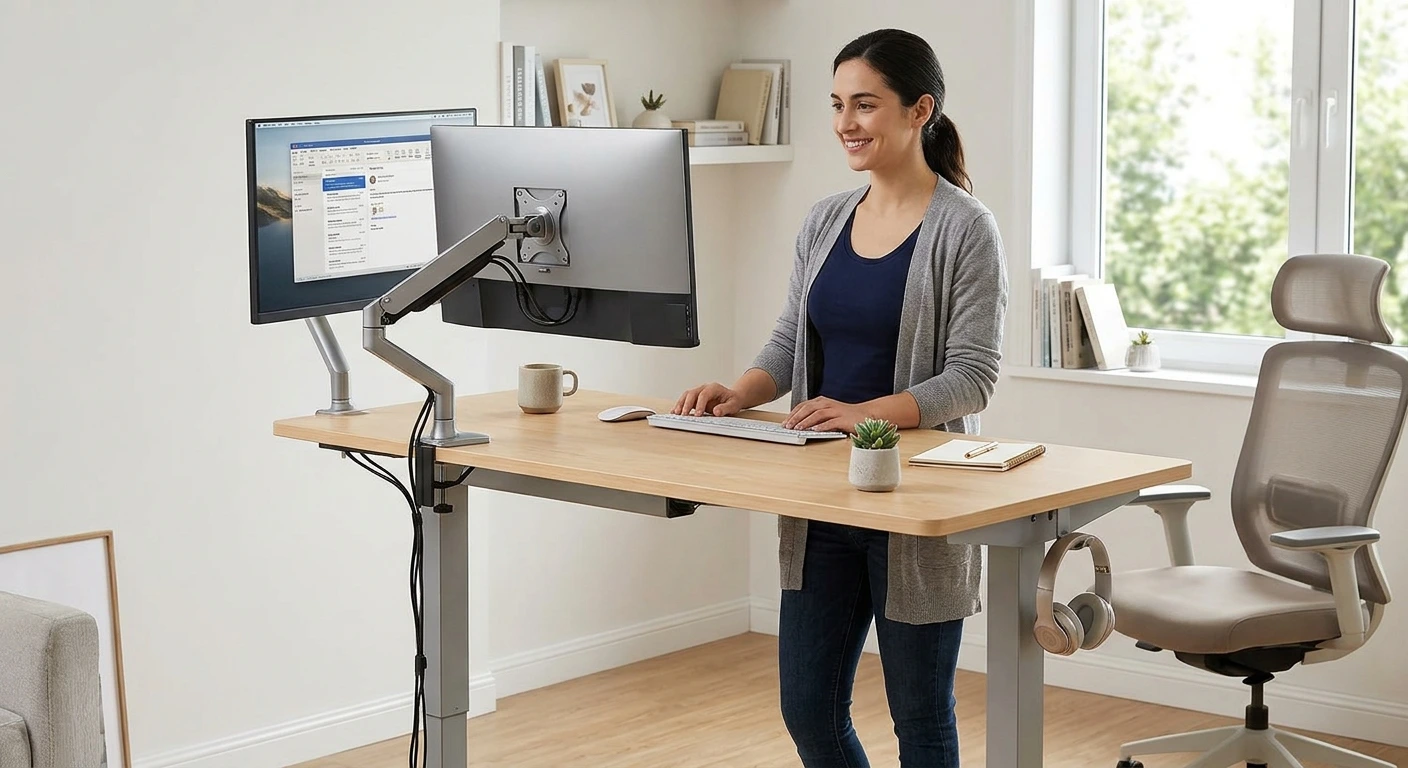

An ergonomic standing desk Shopping can feel like a maze of listings that all look the same. Many desks promise stability, comfort and easy height adjustment, but how do you choose the right one? Start with your body, not the advertising. Your height, chair, monitors and available space all affect which desk fits your needs. In this guide, I compare five manual crank standing desks on Amazon for different types of buyers. I’ll cover height adjustment, stability, desktop size, weight capacity and practical setup tips. You’ll also learn the differences between manual crank desks, electric standing desks and standing desk converters so you can choose the right option for your workspace.
- Five manual crank standing desks on Amazon, matched to different needs.
- How to choose a desk based on height adjustment, stability and weight capacity.
- What to consider if you need extra workspace for two monitors.
- How to match a desk’s height range to your height and sitting position.
- Why standing desks can wobble at greater heights and how to reduce it.
- Manual crank desks vs. electric standing desks and standing desk converters.
- A practical setup checklist for your monitors, keyboard and daily working habits.
- Answers to common questions about standing time, ergonomic adjustments and staying comfortable throughout the workday.
Quick Picks: Best Manual Crank Standing Desks on Amazon
Short on time? Here are five manual crank standing desks worth considering. They offer different workspace sizes, designs and adjustment ranges, so you can choose one that suits your room, equipment and working habits.
- Best Overall: VIVO 60″ × 24″ manual standing desk, with a seamless one-piece desktop, foldable hand crank and 110 lb weight capacity.
- Best for Large Workspaces: VIVO 71″ × 30″ manual standing desk, offering extra room for multiple monitors and office accessories.
- Best Two-Tier Design: Stand Up Desk Store 48″ two-tier standing desk, with separate levels for your monitor and keyboard.
- Best for Taller Users: Mount-It! 48″ × 29″ manual standing desk, with an adjustable height range of 29.7″–48.6″.
- Best L-Shaped Design: UNICOO 63″ × 63″ manual standing desk, designed for corner workspaces and larger office setups.
Prices and availability can change, so check the current price and product specifications on Amazon before buying.
What Makes a Manual Crank Standing Desk Truly Ergonomic?
A desk that adjusts up and down is not automatically good for your body. It only helps if it fits your height, workspace and daily working habits. With a manual crank standing desk, you also need to consider how easily you can adjust the height and whether the frame stays stable during use. Here are the things that matter most.
Height Range That Fits Your Body
This is the most important factor. Your desk needs to reach a comfortable height when you sit and when you stand. If it cannot go low enough, your shoulders may rise. If it cannot go high enough, you may end up hunching over your keyboard.
Here is a simple way to find your measurements. Stand up straight in the shoes you normally wear at home. Let your arms hang naturally, then bend your elbows to about 90 degrees. Have someone measure from the floor to your elbow. That gives you a starting point for your standing desk height.
Next, sit in your chair with your feet flat on the floor and your elbows bent at roughly 90 degrees. Measure your elbow height again to estimate your comfortable seated desk height.
As a rough guide, shorter people around 5 feet tall may need a standing desk height near 38 to 40 inches. Taller people around 6 feet may need something closer to 44 to 46 inches. Your actual requirements depend on your proportions, footwear and chair height.
Measure first, shop second. Compare your sitting and standing measurements with the adjustment range in the product listing. If the desk cannot reach the heights you need, look for another model.
Very tall and very short users should pay extra attention here. Many desks are designed around average heights, so the available adjustment range matters more than the appearance of the desk.
The 90-Degree Elbow Rule
Your keyboard should sit at or slightly below elbow height. Keep your elbows close to your sides and bent at approximately 90 degrees. Your wrists should remain straight rather than bending upward or downward while typing.
This positioning helps reduce unnecessary strain on your shoulders and wrists. It is also why a desk with a suitable adjustment range is important. A manual crank lets you change the height when needed, although you will have to turn the handle rather than press a button.
Stability and Wobble at Full Height
Any standing desk can become less stable as it rises, depending on its frame design and construction. At greater heights, typing, leaning on the edge or moving your monitor can make unwanted movement more noticeable.
A few features can help. Look for a sturdy steel frame, well-designed support structure and wide feet. A solid one-piece desktop may also feel more secure than a top made from two separate sections.
Weight capacity matters too. Consider everything you plan to keep on the desk, including monitors, monitor arms, laptops, speakers, books and other accessories. Leave some room below the manufacturer’s stated weight limit rather than choosing a desk that will constantly carry its maximum load.
For manual crank models, also check whether the adjustment mechanism feels secure and whether the desk stays at the selected height without slipping.
Manual Crank Mechanism and Adjustment Effort
Unlike electric standing desks, manual crank models do not use a motor or electrical controls. You turn a handle to raise or lower the desktop.
The crank mechanism deserves attention because it affects how convenient the desk will be to use every day. Check how many turns are needed to move between sitting and standing heights, whether the handle folds away when not in use and whether the adjustment feels smooth.
A desk that takes too much effort or too long to adjust may discourage you from changing positions regularly. If you plan to switch between sitting and standing several times a day, choose a model with a practical adjustment mechanism.
Desktop Size for Dual Monitors
A 48-by-24-inch desktop is a common size for home offices. It can accommodate two smaller monitors side by side, although the available space depends on their stands and other accessories.
Two larger 27-inch monitors may make the same desktop feel crowded. A monitor arm or riser can free up some surface space. Our guide to the best adjustable monitor stands covers options worth considering.
Depth matters as much as width. A 24-inch-deep desk may place your screens closer than a deeper desktop. This works for many setups, but larger monitors may benefit from a monitor arm that lets you position the screens farther back.
If you need room for multiple monitors, a laptop, keyboard and other office equipment, consider a wider desktop such as a 60-inch or 71-inch model.
Assembly and Ease of Use
Manual crank standing desks still require assembly, and some models have heavy frames and large desktop panels. Check the assembly instructions and package dimensions before ordering. Having another person help with lifting and positioning the desktop can make the process easier.
Also check how the crank handle is installed, whether it can fold away and whether the adjustment mechanism is accessible from your normal working position.
Unlike electric models, manual crank desks do not require a power outlet or produce motor noise during height adjustment. However, the time and physical effort needed to turn the handle are important trade-offs to consider before buying.
Best Overall Manual Crank Standing Desk
VIVO 60″ x 24″ Manual Height Adjustable Standing Desk
This is the desk I’d point most people to first if they want a manual crank standing desk with plenty of workspace. Its 60″ x 24″ desktop gives you room for monitors, a laptop and everyday office accessories without taking up as much space as an extra-wide desk. The one-piece desktop also provides a continuous work surface, while the foldable crank makes it possible to adjust the height without relying on electricity.
With a 110 lb weight capacity and a 3-year warranty, this VIVO model is worth considering for remote workers and home-office users who prefer a straightforward manual adjustment system.
Pros:
- Spacious 60″ x 24″ desktop for everyday office equipment.
- Manual hand crank allows height adjustment without electricity.
- Foldable crank can be tucked away when not in use.
- One-piece desktop provides a seamless working surface.
- 110 lb weight capacity for monitors, laptops and accessories.
- 3-year warranty, according to the supplied product information.
Cons:
- Turning the crank takes more effort than pressing a button on an electric desk.
- A 60-inch desktop may be too large for compact workspaces.
- The 110 lb capacity requires you to consider the combined weight of your equipment.

- Create Active Standing: Go from sitting to standing at the turn of a handle with this complete active workstation provid…
- Spacious 59” Top: This large 59” x 23.6” table provides a large surface for a variety of work materials, supplies, and d…
- One-Piece Surface: The one-piece top is free of seam-breaks for a smooth, uninterrupted workspace. Crafted from sturdy p…
- Strong Desk Frame Support: With all-steel construction, the desk frame supports up to 110 lbs.This ensures maximum stabi…
- Simple Crank System: Enjoy an adjustable height range of 28.6″ to 46.8″ with this frame’s manual hand crank system and s…
Why does this one win? It offers a practical combination of desktop space, manual height adjustment and a straightforward design. For buyers who want a full-size standing desk without an electric motor, these are useful features to prioritize.
Best Manual Crank Standing Desk for Large Workspaces
VIVO 71″ x 30″ Manual Standing Desk
If you need more room for multiple monitors and office equipment, this larger VIVO model deserves a look. Its 71″ x 30″ desktop gives you considerably more working space than a standard 48-inch desk. That makes it suitable for people who use several screens, keep reference materials nearby or prefer a less crowded workstation.
It uses a manual crank system, so you can change between sitting and standing without plugging the desk into a power outlet. The foldable crank also keeps the adjustment handle out of the way when you’re working.
Pros:
- Extra-wide 71″ x 30″ desktop provides generous workspace.
- Manual crank adjustment does not require electricity.
- Foldable crank keeps the handle out of the way.
- 110 lb weight capacity for typical office equipment.
- 3-year warranty, according to the supplied product information.
- Suitable for larger home-office setups.
Cons:
- Requires more floor space than a standard desk.
- Manual height adjustment takes physical effort.
- The 110 lb capacity may limit heavier multi-monitor setups.
- Measure your room carefully before ordering.

- Create Active Standing: Go from sitting to standing at the turn of a handle with this complete active workstation provid…
- Spacious 71” Top: This 70.9” x 29.5” table provides a large surface for a variety of work materials, supplies, and decor…
- Durable 3-Piece Surface: Crafted from sturdy particle board, the desk surface is scratch resistant for a workstation tha…
- Strong Desk Frame Support: With all-steel construction, the desk frame supports up to 110 lbs.This ensures maximum stabi…
- Simple Crank System: Enjoy an adjustable height range of 28.5″ to 46.7″ with this frame’s manual hand crank system and s…
This is the option I’d consider if workspace is your main priority. You get a large desktop without moving to an electric adjustment system. Just make sure your room can accommodate its dimensions.
Best Two-Tier Manual Standing Desk
Stand Up Desk Store 2-Tier 48″ Manual Standing Desk
This desk is worth considering if you prefer a separate area for your monitor and keyboard. Its two-tier design creates a more organized workstation, helping keep your screen above your main typing surface. That layout can make it easier to position your equipment without crowding everything onto one flat desktop.
The supplied specifications list a 154 lb weight capacity and BIFMA certification. It also comes with a lifetime warranty, according to the product information provided. These are useful details to check when comparing it with other manual standing desks.
Pros:
- Two-tier layout separates the monitor and keyboard areas.
- 48-inch width suits many home-office setups.
- 154 lb stated weight capacity.
- BIFMA certification listed in the supplied product information.
- Lifetime warranty, according to the supplied listing details.
- Designed for buyers who prefer an organized workstation.
Cons:
- Two-tier designs offer less flexibility than a single flat desktop.
- The upper and lower surfaces may not suit every monitor and keyboard arrangement.
- Check the full height adjustment range before purchasing.

- Two-level design places monitors, keyboard, and mouse at ergonomic, comfortable heights, whether sitting or standing
- Hand crank height adjustment is simple, strong, and durable; crank can be positioned on either side of desk
- Features include lockable casters for mobility and built-in cable management to keep cords tidy
- Overall dimensions are 47″ W x 28.5″ D x 33.5″ to 47.25″ H (with included 3″ casters installed); max weight capacity is …
- Stand Up Desk Store is a US-based company and stands behind all items we sell; this item comes with a limited lifetime w…
The main reason to consider this model is its two-tier layout. If you want your monitor and keyboard on separate levels, it offers a different workstation design from the conventional flat-top standing desk.
Best Manual Crank Standing Desk for Taller Users
Mount-It! 48″ x 29″ Manual Standing Desk
Finding a standing desk with enough height adjustment can be difficult if you’re taller than average. This Mount-It! model stands out because its listed height range extends from 29.7″ to 48.6″. That gives taller buyers more room to find a comfortable standing position than many desks with lower maximum heights.
Its 48″ x 29″ desktop also provides a useful combination of width and depth for a home-office setup. The supplied product information lists a 132 lb weight capacity and a lifetime warranty.
Pros:
- Listed height range of 29.7″–48.6″.
- Higher maximum height may suit taller users.
- 48″ x 29″ desktop provides useful working depth.
- 132 lb stated weight capacity.
- Seamless desktop design, according to the supplied product information.
- Lifetime warranty listed in the supplied details.
Cons:
- The 48-inch width may feel limited with multiple large monitors.
- Manual adjustment requires turning the crank.
- Its larger adjustment range does not guarantee a suitable seated height for everyone.
- Check the current listing for assembly and adjustment details.

- Work free from outlets, anywhere you choose — The foldable hand crank adjusts your desk from 29.7″ seated to 48.6″ stand…
- Nearly 10 square feet of seamless workspace — The 48″ × 29″ one-piece white tabletop gives you more room than most compe…
- Steady at sitting height. Steady at standing height. No compromises. — The heavy-duty steel frame holds up to 132 lbs an…
- Smooth crank. Foldable handle. Out of your way. — The hand crank rotates with consistent, predictable resistance from fi…
- Stand more. Sit less. Feel the difference by afternoon. — Alternating between sitting and standing reduces back strain, …
If you’re taller and have struggled to find a standing desk that reaches a comfortable height, this model is worth comparing. Its listed 48.6-inch maximum height is the main reason it stands out. Still, measure your elbow height before deciding.
Best L-Shaped Manual Standing Desk
UNICOO 63″ x 63″ Manual L-Shaped Standing Desk
If your workspace needs more than a standard rectangular desktop, this UNICOO model offers a different layout. Its 63″ x 63″ L-shaped design is intended for corner workspaces and gives you separate areas for monitors, a laptop, documents and other office equipment.
The supplied specifications list a manual height adjustment range of 27.5″–45.3″ and a 175 lb weight capacity. Its 1-inch scratch-resistant laminate desktop is another feature worth considering if you want a larger work surface for a busy home office.
Pros:
- L-shaped 63″ x 63″ design makes use of corner space.
- Large desktop provides room for multiple work areas.
- Manual height adjustment avoids the need for an electric motor.
- Listed height range of 27.5″–45.3″.
- 175 lb stated weight capacity.
- 1-inch scratch-resistant laminate desktop, according to the supplied specifications.
Cons:
- Requires considerably more floor space than a regular desk.
- Manual adjustment may take longer with a large desktop and loaded workstation.
- Corner placement can limit where you position the desk.
- Check the available adjustment mechanism and assembly requirements before buying.

- L-Shaped Workspace: Create a dedicated corner workstation with room for monitors, a laptop and everyday supplies. The wr…
- Manual Height Adjustment: Turn the hand crank to raise or lower the desktop from 27.5 to 45.3 inches, including the tabl…
- Foldaway Crank Handle: The hand crank folds away when not in use, keeping the front of the desk clear. Telescoping legs …
This is the option I’d consider if you need a large corner workstation rather than a conventional rectangular desk. Its main advantage is the L-shaped layout, which gives you more room to organize different parts of your workspace.list of the best laptop stands for home office has plenty of slim options.
If you want an ultra-durable desk surface that repels liquid, check out our guide on the best cordura mousepad options available today.
Best Standing Desk Converter If You Keep Your Current Desk
A standing desk converter sits on top of the desk you already own. You lift it up to stand and push it down to sit. Most use springs or gas lifts. Some are electric.
Converters suit renters, people with a desk they love, and anyone in a shared office. They also help if your company won’t replace your desk but will let you add something on top. No converters made this list. But here is what to look for if you go that way:
- A keyboard tray that sits lower than the monitor shelf.
- Enough lift to reach your standing elbow height on top of your current desk.
- A smooth, steady lift that doesn’t jerk up.
- Enough top space for your screens and keyboard.
- A weight limit that covers all your gear.
Full Desk vs Converter: Which Should You Choose
This is where a lot of buyers go wrong. They pick by price alone. Ergonomics should decide it instead.
A full electric desk moves the whole surface. Your keyboard, mouse and monitors all go up together. When seated, the desk can drop low enough for a proper elbow angle. That is the key point. Your sitting posture stays good.
A converter adds height on top of your current desk. When you sit, the converter’s base still sits on the desk. So your keyboard ends up higher than a normal desk, unless the converter has a low tray. For many people, that means shrugged shoulders during sitting time. Some converters also push your screens closer to your face.
Here is the simple rule. Choose a full desk if you can. It offers the widest range and the best sitting posture. Choose a converter if you can’t replace your desk, or if you want to try standing before you commit.
Is a standing desk converter as good as a full desk? For quick standing breaks, a good converter is fine. For all-day ergonomics, a full desk is better. It fits a wider range of heights and keeps your sitting setup correct.
How to Set Up Your Standing Desk ErgonoHow to Set Up Your Manual Crank Standing Desk Ergonomically
A good standing desk set up badly is still a bad desk. Once your manual crank desk is assembled, take about 15 minutes to position your chair, monitors and keyboard properly. Follow these steps:
- Set your chair first. Keep your feet flat on the floor, knees at roughly 90 degrees and your back supported by the chair.
- Adjust the desk for sitting. Turn the hand crank until your elbows are close to 90 degrees, with your shoulders relaxed and your wrists straight.
- Find your standing height. Stand in the shoes you normally wear and turn the crank until your keyboard reaches a comfortable height for your bent elbows.
- Remember both positions. Since a manual desk has no memory presets, note your preferred sitting and standing heights or mark the crank positions so you can return to them more easily.
- Position your monitor. The top of the screen should be at or slightly below eye level.
- Set the viewing distance. Keep your monitor approximately an arm’s length away and tilt it slightly if needed.
- Keep your keyboard and mouse close. Avoid reaching forward while typing or using your mouse.
- Organize your cables. Run cables along one desk leg and leave enough slack so they do not pull when you adjust the height.
- Consider an anti-fatigue mat. It can make standing more comfortable, especially on hard floors.
- Keep a footrest nearby. A low footrest allows you to shift your weight and change your standing position.
Your monitor height matters too. If the screen is too low, you may find yourself bending your neck forward to see it. A monitor riser or adjustable arm can help. Check our guide to the best monitor stands for desk setups if you need more height.
Do You Need a Keyboard Tray?
Most people do not need a separate keyboard tray when using a full manual crank standing desk. The entire desktop moves up and down, allowing you to adjust your keyboard, mouse and monitor together.
A keyboard tray can still be useful if your desk cannot reach a comfortable sitting height or if you need additional adjustment for your arms and wrists. It may also help with certain standing desk converters.
Once your main setup is comfortable, consider the smaller details. A cable tray, desk pad and good desk lamp can make your workspace easier to use. Our guide to the best desk accessories for home office has more ideas.
What Height Should a Manual Crank Standing Desk Be?
The right desk height depends on your elbow position, not a fixed measurement. When sitting or standing, your elbows should generally be bent at approximately 90 degrees, with your shoulders relaxed and wrists straight while typing.
A person who is 5 feet 2 inches tall and someone who is 6 feet 3 inches tall will usually need different desk heights. Measure your comfortable sitting and standing positions before buying a desk, then check whether its adjustment range covers both.
Unlike electric desks, manual crank models do not save height presets. You may need to note your preferred measurements or count the crank turns required to move between your sitting and standing positions.
Remember to measure while wearing the shoes you normally use when working.
How Long Should You Stand at a Standing Desk Each Day?
Here is the trick many people miss: the goal is movement, not standing all day. Remaining in one position for hours can make your feet, legs and back uncomfortable too.
Stand all day. Switch positions regularly.
Start small. Try standing for 15 to 30 minutes, then sit for a while. Repeat this a few times throughout your workday. As you get comfortable, experiment with changing positions every 30 to 60 minutes.
There is no single schedule that works for everyone. Find a balance between sitting, standing and moving that feels comfortable and sustainable. If your feet or back become uncomfortable, take a break or sit down.
One advantage of a manual crank desk is that it does not need electricity to change positions. However, remember that you must turn the handle each time, so choose a desk with an adjustment mechanism you are comfortable using regularly.
What Are the Best Exercises or Movements to Do at a Standing Desk?
You do not need a gym to break up long periods of sitting or standing. A few simple movements throughout the day can help you change positions and reduce stiffness.
Try these movements during your workday:
- Calf raises: Rise onto your toes, then lower slowly. Repeat 10 to 15 times.
- Weight shifts: Gently move your weight from one foot to the other.
- Shoulder rolls: Roll your shoulders backward 10 times, then forward 10 times.
- Neck stretches: Gently tilt your ear toward your shoulder and hold briefly on each side.
- Marching in place: Lift your knees alternately for about 30 seconds.
- Hip hinges: Place your hands on the desk edge and gently push your hips backward while keeping your back comfortable.
- Footrest swaps: Place one foot on a low footrest, then switch sides.
If you tend to forget to move, set a reminder every hour. Short movement breaks can help you avoid staying in the same position throughout the workday.
Are Manual Crank Standing Desks Worth It?
For people who spend long hours working at a desk, a manual crank standing desk can be worth considering. Its main benefit is the ability to switch between sitting and standing throughout the day instead of staying in one position for hours.
The advantage of a manual model is that it does not need electricity or a motor. You raise or lower the desktop by turning the crank. The trade-off is that changing positions takes more effort than pressing a button on an electric desk.
A standing desk also won’t fix a poor workspace setup on its own. You still need a chair that fits, a monitor at a comfortable height, and a keyboard position that keeps your elbows relaxed. Think of the desk as one part of a comfortable workstation.
The Mayo Clinic’s guide to standing workstations also explains why proper workstation setup and changing positions matter.
Will Insurance Pay for a Standing Desk?
It depends on your country, insurance provider, and individual policy. Some health plans may consider covering a standing desk when it is recommended for a documented medical need, but ordinary standing desks are generally treated as office furniture.
Before buying, contact your insurance provider and ask whether ergonomic office equipment is covered. You may need a recommendation or letter from a qualified healthcare professional.
Employer support: If you work remotely, ask your employer whether they offer a home-office allowance or ergonomic equipment budget. Some companies help employees pay for desks, chairs, and other workstation accessories.
Business expenses: If you are self-employed, a standing desk used for work may qualify as a business expense, depending on your local tax rules. Check with a qualified tax professional before claiming it.
Quick Buying Checklist
Before you click buy, run through this list. A few checks can help you avoid choosing a desk that doesn’t fit your workspace or needs.
- Measure your sitting and standing elbow heights.
- Compare those measurements with the desk’s listed height range.
- Add up the weight of your monitors, computer, keyboard, and other desk equipment.
- Check the desk’s weight capacity and leave some room below the limit.
- Measure your floor space, including room for your chair to roll back.
- Check how the manual crank works and whether raising or lowering the desk requires too much effort.
- Look for a foldable or conveniently positioned crank handle if storage and legroom matter.
- Decide whether you need extra storage, such as drawers or hooks.
- If you use monitor arms, check whether the desktop supports clamp mounting.
- Plan for assembly and make sure you have enough space to unpack the desk.
Final Verdict
The best manual crank standing desk is the one that fits your body, workspace, and daily routine. For most home-office users, the VIVO 60″ x 24″ is a strong overall choice, with its one-piece desktop and foldable crank. If you need more room for multiple monitors and accessories, the VIVO 71″ x 30″ gives you a wider workspace.
The Stand Up Desk Store 48″ is worth considering if you prefer a two-tier layout for your monitor and keyboard. Taller users may appreciate the Mount-It! desk’s listed height range, while the UNICOO L-shaped model offers more surface area for a corner workspace.
Before ordering, compare each desk’s height range with your sitting and standing elbow positions. Check the weight capacity, desktop dimensions, crank mechanism, and assembly requirements too. A manual desk takes more effort to adjust than an electric model, but it lets you change positions without relying on a motor or power outlet.
The right desk should fit your workspace and make it easier to alternate between sitting and standing throughout the day.
About the author: Connect on LinkedIn