


Electric height adjustable standing desk shopping gets confusing fast, because so many desks look the same in photos. They all have a flat top, two legs and a little button panel. The real differences hide in the details: the size of the top, the height range, the presets, the storage and how steady the desk feels when you raise it high. This guide sorts the options by the job you need done. Maybe you have a tiny corner, maybe you run two big monitors, or maybe you just want drawers. You will also learn the stuff most pages skip, like wobble, noise, outlets and how long setup really takes.
- Seven Amazon picks sorted by use case: overall, value, small space, drawers, dual monitors, one-piece top and wood look.
- How to match desk size to your room and your monitor setup.
- What to know about motors, wobble, noise and weight limits.
- Electric vs manual vs desk converter, in plain terms.
- How to pick between 48, 55 and 60 inch tops.
- The 20-8-2 rule explained, plus simple setup tips.
How We Chose These Electric Standing Desks
You get a shortlist built around the problems real buyers have, like a cramped room, a messy desk or a monitor setuFinding the perfect workspace setup shouldn’t be a guessing game. This curated shortlist is built entirely around solving the exact pain points real remote workers and gamers face daily—whether that is a cramped spare room, a cluttered desktop, or a heavy multi-monitor setup that needs more breathing room.
Every desk featured here has earned its spot by offering a targeted solution for a specific workflow. They all feature smooth, electric motorized lifts to transition between sitting and standing at the push of a button.
To match exactly how you work, we selected top-rated models ranging from an ultra-compact 32-inch footprint up to a roomy 55 x 28-inch surface. Our picks cover vital workspace upgrades like one-touch programmable presets, built-in storage drawers, seamless one-piece tops, and sturdy edges for C-clamp monitor mounts.
Our Data-Backed Selection Process
Instead of relying on a single reviewer’s subjective opinion, we analyzed hundreds of verified buyer reviews, manufacturer data sheets, and long-term durability metrics. By filtering out low-rated models and focusing purely on high-volume bestseller data, we’ve pinpointed the most reliable desks that real buyers consistently praise after months of daily use.
Note: Because Amazon prices and active discount coupons change frequently, we highly recommend clicking the options below to verify today’s best price before making your final decision.
Quick Picks: Best Electric Standing Desks on Amazon
Here is the short version. Each desk gets a full section below with pros and cons.
- Best for a Spacious Sit-Stand Setup: TIQLAB 55 X 24 Inch Height Adjustable Electric Standing Desk, Maple
- Best overall and best one-piece top: FLEXISPOT EN1 48 x 24 inch
- Best value for the basics: Cubiker 48 x 24 inch with splice board
- Best with drawers and clamp mounts: HUANUO 48 x 24 inch with 2 drawers
- Best for small spaces: FEZIBO Standing Desk 32 × 19 Inch Electric Height Adjustable
- Best large desk for dual monitors: SHW 55 x 28 inch with drawer
- Best simple, sturdy frame: ErGear 48 x 24 inch
If you want a wider roundup that also covers other desk styles, see our list of the best standing desks for home offices. This guide sticks to electric desks and the details that matter when a motor does the lifting.
Is an Electric Standing Desk Worth It for a Home Office?
For most people who work at home full time, yes. The big reason is simple. If changing height takes effort, you stop doing it. A crank desk or a lift-up converter sounds fine in the store. After two weeks, many people leave it in one spot.
An electric desk removes that friction. You press a button and wait a few seconds. With memory presets, you press one button and the desk stops at your saved height. That small thing makes a big difference over months.
It is less worth it if you only work at your desk an hour or two a day. In that case, a good chair and a monitor at the right height may do more for you. It is also a harder sell in a very small room, unless you buy a compact model like the FEZIBO below.
A standing desk only helps if you actually change positions. The motor is what makes that easy enough to keep doing.
One more thing. Standing all day is not the goal. Stand as much as you can. Move often and switch positions. We cover how to do that with the 20-8-2 rule later on.
The 7 Picks, Compared by Use Case
1. TIQLAB 55×24: Best for a Spacious Sit-Stand Setup
This TIQLAB desk suits people who want more room to work without moving up to an oversized desk. The 55 x 24-inch desktop gives you extra width compared with a standard 48-inch desk, making it a practical choice for a home office, bedroom or gaming setup. Its electric height adjustment lets you switch between sitting and standing, with a height range of approximately 28.3 to 47 inches.
The desk features a metal frame and supports up to 176 pounds, according to the product specifications. Its electric controls make changing heights easier than using a manual adjustment system. The desk also offers memory presets, allowing you to save preferred working heights for quicker adjustments throughout the day.
Assembly should be manageable for first-time buyers. The package includes step-by-step instructions, labeled parts and an L-shaped Allen wrench. The desktop uses a spliced-board design, so the surface is assembled from multiple sections rather than one continuous piece.
Pick this one if you want a wider working surface and the convenience of electric height adjustment. The 55-inch width provides extra space for a monitor, laptop and everyday office accessories without requiring a much larger desk.
Pros
- 55 x 24-inch desktop provides more width than a standard 48-inch desk
- Electric height adjustment makes switching between sitting and standing convenient
- Memory presets let you save preferred desk heights
- Metal frame supports up to 176 pounds, according to the manufacturer
- Labeled parts and step-by-step instructions help simplify assembly
Cons
- 24-inch depth may feel limited with large monitors and bulky desk accessories
- Spliced desktop design may not appeal to buyers who prefer a seamless, one-piece surface
- Assembly requires time and effort before the desk is ready to use
- Maximum weight capacity does not guarantee that the desk will remain wobble-free at every height

- Height Adjustable Standing Desk – The sit to stand desk is height adjustable from “28.3” to “45.6”, with smoothly and qu…
- Spacious Large Tabletop – Measuring 47 x 30 inches, our wider desktop outperforms most similar desks on the market. It o…
- A Comfortable Workspace – The height adjustable desk features a scratch-resistant and solid desktop, with smooth edges f…
- Built-in Cable Management Box – Equipped with a dedicated cable storage box to organize messy wires neatly. It tidies up…
- 30 minutes assembly – The package comes with step-by-step instructions, clearly labeled parts, and a specialized L-shape…
2. FLEXISPOT EN1: Best Overall and Best One-Piece Top
The FLEXISPOT EN1 is the most well-rounded pick here. It suits remote workers who want a steady, simple desk that does everything well. It fits writers, coders and anyone who runs a laptop plus monitors. If you hate the line down the middle of split desktops, this one is for you.
The top is one piece, with no seams or split lines. That gives you a smooth surface for writing, drawing or using a mouse right across the middle. It supports up to 176 lbs, which is plenty for two monitors, a laptop and desk gear. The height range runs from 28.9 to 46.5 inches. You get 4 memory presets, so two people can share it, or you can save sit, stand and a perch height.
Assembly is simpler, with fewer steps and less lifting, according to the maker. The maker also calls it stable and quiet. Since a one-piece top ships as a single board, plan for a bigger box at the door.
Pros
- One-piece top with no seams down the middle
- 176 lbs capacity handles dual monitors and gear
- 4 memory presets, great for shared desks
- Height range of 28.9 to 46.5 inches suits many users
Cons
- 48 x 24 inch top leaves limited room for big dual setups
- One-piece boards come in a large, heavy box
- Black finish shows dust and fingerprints
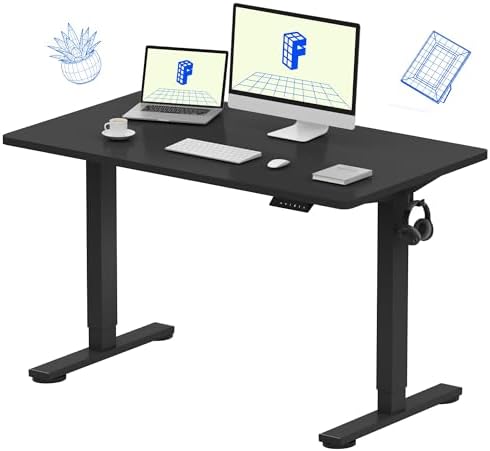
- ONE-PIECE. NO SEAMS: A seamless desktop creates a smooth, uninterrupted workspace with no split lines to distract, makin…
- SPACIOUS WORKSPACE FOR PRODUCTIVITY: Room for laptops, monitors, and accessories, giving writers, coders, or content cre…
- HEAVY-DUTY STABILITY & STRENGTH: Supports up to 176 lbs, giving office workers, architects, and gamers a steady, secure …
- SIT OR STAND. YOUR CALL: Smooth electric height adjustment (28.9″–46.5″) with 4 memory presets keeps remote workers and …
- QUICK & EASY ASSEMBLY: Simplified setup with fewer steps and less lifting, ideal for busy professionals or first-time st…
3. Cubiker 48×24: Best Value for the Basics
The Cubiker desk suits people who want the core features without paying for extras like drawers. You get an electric lift, presets and a standard 48 x 24 inch top. The white frame and maple top look bright and clean, which helps a small or dark room feel lighter. It is a good fit for a first standing desk.
The motor runs under 45 dB, according to the maker. That is quiet enough for most video calls if you adjust between meetings. It has 3 memory presets for your favorite heights. The frame is industrial-grade steel, and the top has room for dual monitors, laptops and daily essentials. The maker also notes low-VOC materials, which some buyers care about in a closed room.
This desk uses a splice board. That means the top comes in two pieces that join in the middle. Splice boards ship in smaller boxes and are easier to carry. The tradeoff is a seam you can feel under your hand.
Pros
- Motor rated under 45 dB by the maker
- 3 memory presets cover sit, stand and one more height
- Bright white and maple look suits small rooms
- Low-VOC materials, according to the maker
Cons
- Splice board leaves a seam in the middle of the top
- Fewer presets than some other picks
- Light maple top can show stains over time
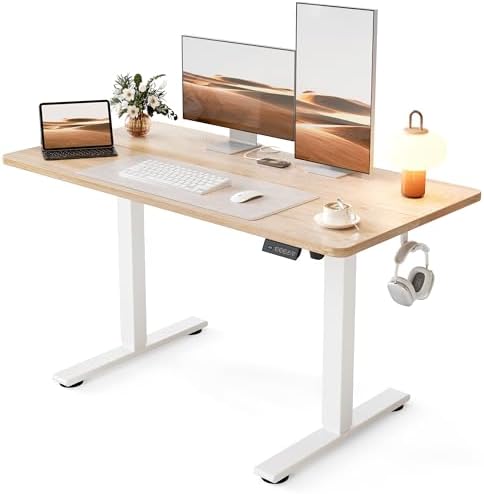
- Smooth Electric Height Adjustment for All-Day Comfort: Effortlessly switch between sitting and standing with this electr…
- Spacious & Practical Desktop for Everyday Use:The desktop provides ample space for dual monitors, laptops, and daily ess…
- Heavy-Duty Steel Frame with Exceptional Stability:Built with an industrial-grade steel frame, this adjustable desk suppo…
- Powerful Quiet Motor with 3 Memory Presets:Equipped with a high-performance motor operating under 45 dB, this standing d…
- Safe Materials & Easy Assembly:Made with low-VOC materials to support a healthier indoor environment. Designed for quick…
4. HUANUO 48×24 with 2 Drawers: Best for Storage and Clamp Mounts
The HUANUO desk suits people who need a place for pens, chargers and notebooks. The two desktop drawers keep small stuff off your work surface. It also works well for anyone who uses a monitor arm. Many desks with drawers block clamps, but this one is built around that problem.
It has an extended 2.36 inch rear platform edge for C-clamp mounting. That lets you attach a monitor arm or desk lamp along the back. The height range is 27.5 to 46.4 inches, the lowest starting point on this list. That helps shorter users sit with relaxed shoulders. You get 4 preset heights, 2 hooks for headphones or bags, and curved ergonomic edges that feel nicer on your arms.
If storage is your top need, see our full guide to the best standing desks with drawers for more options.
Pros
- Two drawers keep small items close but out of sight
- 2.36 inch rear edge made for C-clamp monitor arms
- Low 27.5 inch starting height suits shorter users
- 4 preset heights and 2 hooks for headphones or bags
Cons
- Drawers can bump your knees if you sit close
- 48 inch width limits space for two large monitors
- Drawers add weight the lift has to carry

- Efficient Desktop Organization: The electric standing desk maximizes organization with two desktop drawers to store item…
- Compatible with C-Clamp Mounting: Our computer desk with drawers is designed with an extended 2.36″ rear platform edge, …
- Flexible Height Adjustment: The sit stand desk features a flexible height range from 27.5″ to 46.4″ tall, allowing you t…
- Smart, Functional Features: The curved ergonomic edges of the rising desk make working around the tabletop more comforta…
- Smart, Functional Features: The curved ergonomic edges of the rising desk make working around the tabletop more comforta…
5. FEZIBO 32 × 19 Inch: Best Electric Standing Desk for Small Spaces
The FEZIBO 32 × 19 inch electric standing desk suits people who need a sit-stand workspace but have very little room. Think a bedroom corner, a small home office or a spot beside your bed. The compact desktop works well for a laptop and basic work essentials, making it a practical option for students and part-time remote workers.
The electric height adjustment lets you switch between sitting and standing without manually raising the desk. It adjusts from 28.3 to 46.5 inches, and three customizable memory presets make it easier to return to your preferred working heights. The black finish also suits a modern home office without drawing too much attention.
This desk is best for a simple, space-saving setup. A 32 × 19 inch desktop leaves limited room for larger monitors, notebooks and other accessories. Consider using a laptop stand or monitor arm to free up some surface space. If you need more room for multiple monitors or a larger workstation, FEZIBO offers bigger desk sizes to consider, and our Fezibo standing desk guide helps you pick the right model.
Pros
- Compact 32 × 19 inch desktop fits small rooms and corners
- Electric height adjustment makes switching between sitting and standing easier
- Three customizable memory presets for preferred desk heights
- Height range of 28.3 to 46.5 inches
- Black finish suits many home office setups
Cons
- Limited desktop space for dual monitors and multiple accessories
- May feel cramped when using a laptop, separate keyboard, mouse and notebook together
- Not the best choice for users who need a large work surface
- Heavy equipment placed near the edges may affect stability, so check the manufacturer’s guidance on weight capacity and proper setup

- One-Touch Height Adjustment: Easily adjust the FEZIBO electric standing desk from 28.3″ to 46.5″. With 3 customizable me…
- Outstanding Stability: Built with a reinforced steel frame, this 31.5″ x 18.9″ standing desk supports up to 176 lbs, pro…
- Powerful Motor: Uprated lifting performance with reliable long-term operation, tested for up to 50,000 lift cycles, with…
- Multiple Sizes & Colors: Crafted from FSC-certified wood for a sustainable choice, the splice desktop comes in a range o…
- Effortless Assembly: Most components come pre-assembled for quick, hassle-free setup. With a detailed manual and video g…
6. SHW 55×28 with Drawer: Best Large Desk for Dual Monitors
The SHW desk suits people who run two monitors and still want space to write. The 55 x 28 inch top is wider and deeper than the 48 x 24 desks on this list. That extra 4 inches of depth matters. It pushes your screens back to a more comfortable distance.
It comes loaded with handy extras. There are integrated hooks for headphones or bags and a cable management tray to hide cords. A built-in drawer keeps supplies within reach. Adjustable floor levellers help it sit steady on uneven floors, which is a big deal in older homes. The maker says the motorized lift is quiet and smooth.
Pick this one if you work across lots of windows, edit video or keep paper notes beside your keyboard. Measure first. A 55 x 28 top needs real floor space.
Pros
- Roomy 55 x 28 inch top fits dual monitors and a laptop
- 28 inch depth gives better screen distance
- Cable management tray, hooks and a drawer built in
- Floor levellers help on uneven floors
Cons
- Needs more floor space than a 48 inch desk
- Larger top is heavier to assemble
- Black finish shows dust easily

- Built-in Convenience Features: Includes integrated hooks for headphones or bags, a cable management tray, and desktop gr…
- Enhanced Stability and Comfort: Equipped with adjustable floor levellers for a stable setup on uneven surfaces and a cur…
- Quiet & Reliable Performance: Powered by a quiet, smooth motorized lift system that ensures seamless transitions between…
- Integrated Storage Drawer: Includes a built-in drawer to keep office supplies and personal items within reach, maintaini…
- Spacious Work Surface: The 55″ x 28″ desktop provides ample space to accommodate dual monitors, laptops, and other essen…
7. ErGear 48×24: Best Simple, Sturdy Frame
The ErGear desk suits people who want a plain, no-fuss standing desk. It has no drawers or extras, just a solid frame, a motor and presets. It works well in a shared room where you want furniture that looks clean. It is also a solid pick if you plan to add your own accessories.
The maker says it has a heavy-duty alloy steel frame and aerospace-grade lifting columns. The lift motor is described as quiet and powerful, and it comes with memory presets. It also uses low-VOC materials, according to the maker. The 48 x 24 inch top in black fits a laptop plus one or two monitors.
Think of this desk as a blank slate. Add a monitor arm, a cable tray or a small drawer that clips under the top. You get to build the setup you want.
Pros
- Alloy steel frame and lifting columns highlighted by the maker
- Memory presets for quick height changes
- Low-VOC materials, according to the maker
- Clean, simple look fits most rooms
Cons
- No built-in storage
- 48 x 24 inch top is tight for large dual monitors
- Plain design may need add-ons for cable control
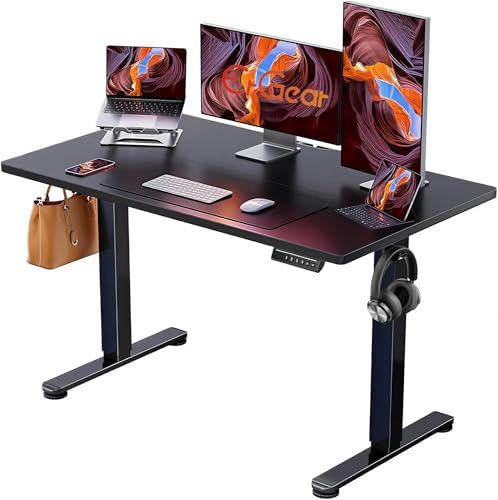
- Electric Height Adjustable Standing Desk for Comfortable Work – Switch effortlessly between sitting and standing with th…
- Powerful Motor with Memory Presets – Equipped with a quiet, powerful lift motor, this sit stand desk allows seamless adj…
- Exceptional Stability Steel Frame – Built with a heavy-duty alloy steel frame and aerospace-grade lifting columns, this …
- Easy Assembly & Low-VOC Materials – Designed with low-VOC materials to help reduce indoor emissions and create a healthi…
Electric vs Manual vs Desk Converter: Which Should You Buy?
You have three main ways to stand while you work. Each one fits a different person and budget. Here is the honest breakdown.
Electric desks use a motor to raise and lower the whole desk. They are the easiest to use every day. Presets make switching fast. The downsides are weight, the need for an outlet and a longer setup.
Manual crank desks use a handle you turn by hand. They need no power, which is nice in a room with few outlets. But cranking from sitting to standing can take many turns. Most people stop doing it after a while.
Desk converters sit on top of a desk you already own. You lift them with a spring or lever. They are great for renters or anyone with a nice desk they want to keep. They do eat up desk space and can feel bouncy when you type. If a converter sounds right, our VariDesk Pro Plus 36 guide shows what to look for.
What to Check Before You Buy: Size, Height Range, Motors, Stability
What Size Standing Desk Do I Need for a Home Office?
Start with your room, then your screens. A desk that fits on paper can still crowd a room once you add a chair. Leave about 3 feet behind the desk so your chair can roll back. Here is a simple way to match size to space.
- Small room or corner: 32 to 40 inches wide. Fits a laptop or one small monitor.
- Spare bedroom or average office: 48 inches wide. Fits a laptop plus one or two smaller monitors.
- Larger office or dual big screens: 55 to 60 inches wide. Fits two 27 inch monitors with room to spare.
Depth matters just as much. A 24 inch deep top is standard, but big monitors can feel close. A 28 or 30 inch depth lets you push screens back. If your desk is shallow, a monitor arm or riser helps. Our guide to the best adjustable monitor stands covers good options.
How to Choose Between 48, 55 and 60 Inch Tops
This is the question most shoppers get stuck on. Use this quick rule of thumb.
- Pick 48 inches if you use a laptop alone, a laptop plus one monitor, or two monitors of 24 inches or smaller.
- Pick 55 inches if you run two 27 inch monitors, or one monitor plus a laptop and paperwork.
- Pick 60 inches if you run two large monitors, a monitor plus a drawing tablet, or you like lots of open space.
Measure your monitors with their stands in place. Add a few inches between them. Then add space for speakers or a lamp. That total is your minimum desk width.
Height Range: Will It Fit You?
Your desk should reach your elbow height in both positions. When you sit, your forearms should rest flat with relaxed shoulders. When you stand, the same rule applies. Taller people need a higher top setting. Shorter people need a lower bottom setting.
On this list, the HUANUO starts lowest at 27.5 inches. The FLEXISPOT EN1 tops out at 46.5 inches. If you are very tall or very short, check the full range against your elbow height in shoes. Measure from the floor to the bottom of your bent elbow, then subtract about an inch for the keyboard.
Are Single-Motor or Dual-Motor Standing Desks Better?
Dual-motor desks are better for heavy loads, wide tops and anyone who wants a steadier lift. Each leg gets its own motor, so the desk lifts evenly. They often handle more weight and can move a little faster.
Single-motor desks use one motor and a rod to drive both legs. They work fine for a laptop and one or two monitors. They are often lighter and simpler. For a wide top with heavy gear, dual motors are the safer bet.
Real Weight Capacity: How Much Do You Need?
Add up everything on the desk. A laptop, two monitors, a monitor arm, speakers and a lamp can add up quicker than you think. Then leave a good cushion. A desk working at its limit tends to slow down and strain.
The FLEXISPOT EN1 lists 176 lbs, which is a lot of room for a normal home office. Do not count the desktop itself in your gear total, since the rated load is what sits on top. Keep heavy items near the legs, not out on the far edges.
Wobble at Full Height: What to Expect
Every standing desk moves a little at full height. Physics is not on its side. A tall, narrow frame with a heavy top will sway when you type hard. The goal is wobble that you barely notice.
A few things help. Wider feet and thicker legs reduce sway. Adjustable floor levellers, like the ones on the SHW, keep the desk flat on uneven floors. Tighten every bolt after the first week, since parts settle. Push the desk against a wall if you can. And put heavy monitors near the center, not hanging off one side.
Noise: Will It Bother Your Calls?
Most electric desks make a soft hum when they move. The Cubiker lists a motor under 45 dB, which is about the level of a quiet room. You will hear it, but it should not drown out a call. The easy fix is to change heights between meetings, not during them.
One-Piece Top vs Splice Board
A one-piece top, like the FLEXISPOT EN1, is a single board. It feels smooth and looks clean. It is great for writing on paper or using a mouse across the middle. The downside is a long, heavy box and a harder carry up stairs.
A splice board, like the Cubiker, joins two pieces in the middle. It ships smaller and is easier to handle alone. You can feel the seam, and a pen can catch on it. If you use a big mouse pad or desk mat, the seam stops mattering much.
Cables, Outlets and USB Ports
Plan your power before the desk arrives. The motor needs one outlet. Your monitors, laptop, lamp and phone need more. Use a good surge protector with a long cord, so nothing pulls tight when the desk rises.
- Mount a power strip under the desktop so it moves with the desk.
- Use a cable tray, like the one built into the SHW, to hold extra cord length.
- Run one bundle of cables down a single leg to the wall.
- Leave enough slack for the full height range, then raise the desk to check.
Built-in USB ports are handy, but a desk clamp charger or power strip with USB works just as well.
Drawers and Storage
Drawers keep your top clear, which makes a small desk feel bigger. The HUANUO has two, and the SHW has one. Check that the drawer will not hit your knees when you sit. Also think about where your chair arms go. If you need a lot of storage or a corner setup, an L shaped desk with drawers may suit you better than a straight standing desk.
How Long Does It Take to Assemble an Electric Standing Desk?
Plan on about 30 to 60 minutes for most electric desks. A first-timer working alone may take closer to an hour and a half. Desks with drawers or extras take longer. One-piece tops are easier to bolt together but harder to flip.
Here is the tip that saves the most stress: get a helper for the flip. You build the desk upside down, then turn it over. A full frame and top is heavy and awkward. Two people make it safe and quick. Lay down a blanket first so you do not scratch the top or the floor.
How to Use a Standing Desk: The 20-8-2 Rule and Setup Tips
Buying an electric height adjustable standing desk is step one. Using it well is step two. The 20-8-2 rule gives you a simple pattern to follow.
What Is the 20-8-2 Rule for Standing Desks?
The 20-8-2 rule comes from ergonomics research at Cornell University. In every half hour, you sit for 20 minutes, stand for 8 minutes and move for 2 minutes. Then you repeat. The point is not to stand more. The point is to change position often.
Here is how that looks in a real workday.
- Sit for 20 minutes while you answer email or do focused work.
- Press your standing preset and stand for 8 minutes during calls or quick tasks.
- Walk for 2 minutes. Refill water, stretch or step outside.
- Press your sitting preset and start the cycle again.
Set a timer for the first week or two. After that, it starts to feel normal. Memory presets make this rule easy, since each switch takes one button.
Simple Setup Tips
Get your sitting height right first. Your feet should rest flat, your knees near a right angle and your forearms flat on the desk. A good chair makes a big difference here. Then save that height as preset one.
Next, stand up and adjust until your elbows sit at about 90 degrees. Save that as preset two. Put the top of your monitor at or just below eye level. Keep it about an arm’s length away.
Wear supportive shoes when you stand, or use an anti-fatigue mat. Shift your weight now and then. If your back or feet ache, sit down. Standing should feel good, not like a chore.
Small changes add up. Sit, stand, move, and repeat. Your body will thank you by the end of the week.
Quick Buying Checklist
Run through this list before you hit the buy button.
- Measure your room and leave about 3 feet behind the desk for your chair.
- Measure your monitors and pick 48, 55 or 60 inches to match.
- Check the height range against your elbow height, sitting and standing.
- Count the presets you need, more if two people share the desk.
- Add up your gear weight and leave a cushion.
- Decide on a one-piece top or a splice board.
- Decide if you need drawers, hooks or clamp space for a monitor arm.
- Plan your outlets, power strip and cable path.
- Line up a helper for assembly day.
Final Thoughts
The right electric height adjustable standing desk is the one that fits your room, your screens and your habits. For most home offices, the FLEXISPOT EN1 is the easy all-around choice, with its one-piece top, 4 presets and 176 lbs capacity. Pick the FEZIBO 32 inch for a tiny corner, the HUANUO for drawers and clamp mounts, or the SHW 55 x 28 when two monitors need room to breathe. The Cubiker, CubiCubi and ErGear cover simple, clean setups in different looks. Measure first, plan your cables, and use your presets every day. Then check the current price on Amazon and pick the desk that fits the way you work.
About the author: Connect on LinkedIn